Hosting review
Cloudways review
Trustpilot · 3,755 reviews · as of 2026-10-01
Verdict: A top managed-cloud pick for performance and support — not for beginners wanting an all-in-one panel.
From: $11/mo (managed cloud, DigitalOcean entry — pay-as-you-go)
Cloudways is a managed-cloud host for developers, agencies and growing sites, letting you deploy your managed stack onto one of five underlying clouds and pay by usage rather than a locked-in contract. It rates 4.6/5 across 3,694 Trustpilot reviews and is widely cited as a leader in G2's managed-hosting category. The catch: it's more technical than a cPanel shared host and deliberately skips domains and email.
Disclosure: Some links on this page are affiliate links — if you sign up through one, we may earn a commission at no extra cost to you. It never changes our ratings, rankings or verdicts: we don't sell hosting and take no pay-for-placement.
Who this is for
- Developers and freelancers who want managed cloud performance without managing the OS
- Agencies hosting multiple client sites that value pay-as-you-go billing and staging
- Growing WordPress, WooCommerce, Magento or Laravel sites outgrowing shared hosting
- Teams that want to choose their infrastructure provider and server size
Benefits
Choice of five underlying clouds
Deploy onto DigitalOcean, Vultr, Linode/Akamai, AWS or Google Cloud, matching infrastructure to your budget and performance needs rather than accepting one fixed platform.
Pay-as-you-go, no lock-in
Hourly billing tied to server size means no intro-to-renewal trap and easy scaling up or down, which suits agencies and short-lived projects.
Well-regarded managed support
Support is a recurring point of praise and underpins Cloudways' strong standing in G2's managed-hosting category, alongside a 4.6/5 Trustpilot score.
Managed stack with free trial
Free migration, free SSL, automated backups and one-click staging come built in, and a no-credit-card free trial lets you test before paying.
Verdict at a glance
Cloudways is a managed-cloud host aimed at developers, agencies and growing sites that want strong performance without administering their own servers. Its distinguishing idea is choice: you deploy a managed stack onto one of several underlying clouds (DigitalOcean, Vultr, Linode/Akamai, AWS or Google Cloud) and pay by usage rather than a locked-in annual contract.
Customer sentiment is good. On Trustpilot, Cloudways scores 4.6/5 from about 3,755 reviews (as of October 2026), with 88% of reviews at five stars, and the company replies to every negative review according to Trustpilot's summary. Support is the standout theme in positive reviews; the main complaints are server performance dips, downtime and the occasional unresolved technical problem.
The trade-off is that Cloudways is more technical than a cPanel shared host and deliberately omits extras like domain registration and bundled email. For the right buyer it is one of the strongest managed-cloud options available. We did not run independent benchmarks, so performance statements below reflect Cloudways' materials and third-party reporting rather than figures we measured.
Who it's for
Cloudways suits people who are comfortable thinking in terms of servers and applications:
- Developers and freelancers who want managed cloud performance without managing the operating system.
- Agencies hosting multiple client sites, who benefit from hourly billing, unlimited sites per server, cloning and staging.
- Growing WordPress, WooCommerce, Magento or Laravel/PHP sites that have outgrown budget shared hosting.
- Teams that want to choose their infrastructure provider and resize servers as needs change.
Look elsewhere if:
- You are an absolute beginner who wants one panel with domain, email and a website builder bundled.
- You want a single flat annual invoice with a free domain.
- You need root access. Reviewers note Cloudways deliberately does not provide it, as part of the managed model.
- You run non-PHP stacks. Reviewers describe the platform as PHP-focused.
Pricing and plans
Cloudways sells two product lines, Flexible and Autonomous. All figures were read from Cloudways' pricing page on 1 October 2026 and change over time, so verify at checkout. Unlike most shared hosts, there is no cheap intro rate followed by a steep renewal: you pay the listed rate for the server you provision.
Flexible (managed cloud servers)
You pick a provider, a region and a server size, and are billed hourly up to a monthly cap, charged in arrears. Cloudways advertises a 3-day free trial with no credit card required. The DigitalOcean standard-server examples we saw:
- Micro: $11/mo, 2 GB RAM, 1 vCPU, 50 GB storage, 2 TB bandwidth. (The same page also listed a "Small" at $11 with identical specs, which looks like a page inconsistency, so verify what each is at checkout.)
- Medium: $88/mo, 8 GB RAM, 4 vCPU, 160 GB storage, 5 TB bandwidth.
- 8XL: $342/mo, 128 GB RAM, 24 vCPU, 2,560 GB storage, 11 TB bandwidth.
Other sources quote different entry figures (for example, $10 to $14 a month for the smallest DigitalOcean tier), which suggests specs and prices have shifted over time. Vultr, Linode, AWS and Google Cloud have their own price lists, and AWS and GCP are generally dearer at the same size. Reviewers also report AWS entry pricing near $38 a month.
Included on Flexible per Cloudways: unlimited websites and visits, its "Lightning Stack", free SSL, a firewall, automated backups and free migration. A promotional 30% discount for three months was listed on the page when we checked; treat it as time-limited.
Autonomous (auto-scaling managed WordPress)
Built for WordPress that needs to absorb traffic spikes. Plans on the pricing page:
- Free trial: 3 days, 1 site, 150 GB bandwidth, 20 GB disk.
- Growth: $99/mo, 1 site, 1 baseline server, 150 GB bandwidth, 20 GB disk.
- Scale: $199/mo, 2 baseline servers, 250 GB bandwidth, 50 GB disk.
- Plus: $399/mo, 3 baseline servers, 1,000 GB bandwidth, 100 GB disk.
- Enterprise: custom.
Overages on Autonomous include disk at $1/GB, bandwidth at $0.04/GB and autoscaling at $0.07 to $0.12 per hour per server. Included: Cloudflare Enterprise CDN, Redis caching, Object Cache Pro and free managed migration. Third-party reviewers mention Autonomous starting lower (around $35/mo), so tiers may have been reorganised; check the live page.
Add-ons and where costs creep up
- Cloudflare Enterprise CDN: from $4.99 per domain per month.
- Site Manager: from $3 per app per month.
- Malware Protection: from $4 per app per month.
- Advanced Support: $100/mo (shown with a discounted lifetime-deal offer when we checked). Other sources describe a Premium tier at roughly $500/mo with faster response and phone support; we did not confirm the exact price.
- Email: Rackspace email at $1.50 per mailbox per month.
- DNS Made Easy: $0.50 per domain per month.
- Bandwidth overages: DigitalOcean at $0.02/GB, AWS around $0.12/GB, GCP $0.10 to $0.17/GB by region, per the pricing page.
Free on all plans per Cloudways: migration by its engineers, SSL certificates, Redis cache, staging and cloning, and a WordPress vulnerability scanner. Object Cache Pro is listed on servers with 4 GB or more of RAM.
Billing gotchas
- No money-back guarantee we could verify. Cloudways offers a free trial instead. We did not find a refund guarantee on the pages we opened, so do not assume one. Check the terms.
- Billed in arrears, monthly, on the hours you used. This is flexible but can make the bill less predictable than a flat annual plan.
- Price a whole configuration. A $11 server plus CDN, malware protection, email, backups and support add-ons can be materially more than the entry figure. One reviewer estimates Cloudways costs roughly twice what the same server would cost bought directly from the cloud provider, which is the price of the management layer.
- You need a domain registrar and email provider elsewhere.
Key features
- Five underlying clouds (DigitalOcean, Vultr, Linode/Akamai, AWS, Google Cloud) with your choice of region.
- Hourly pay-as-you-go billing with no long-term contract and mid-month resizing.
- Managed stack: Nginx and Apache, Varnish page caching and Redis, with a managed MySQL setup, as described by reviewers.
- Free migration and free SSL.
- One-click staging, cloning and unlimited applications per server.
- Automated backups that reviewers describe as configurable in frequency and retention.
- Team management: segregated apps, servers and role-based team access.
- Cloudflare integration, with an Enterprise CDN as a paid add-on.
- Application support: WordPress, WooCommerce, Magento, Laravel and general PHP, plus an auto-scaling WordPress option.
Performance and infrastructure
Data centres. Cloudways does not run its own data centres; it layers a managed service on top of its partners' clouds. Locations therefore depend on the provider you choose. Third-party sources cite 50+ locations across all five providers, and report that the DigitalOcean option alone offers about eight regions across the US, Europe and Asia-Pacific. Check the live region list for the provider you intend to use, particularly for Australia, Asia or Africa.
CDN and caching. Cloudflare integration is available, the Enterprise CDN is a paid add-on, and Autonomous plans include it. The stack combines Nginx, Apache, Varnish and Redis caching. Object Cache Pro is listed for larger servers.
Storage. Storage size scales with the server you pick (for example, 50 GB on a DigitalOcean Micro up to 2,560 GB on the largest tier shown). We did not verify a storage-media claim such as NVMe across all providers.
Uptime. Reviewers cite a 99.99% uptime guarantee, described as inherited from the underlying cloud providers, with a public status page. We could not open a primary SLA document, so verify the exact terms and remedies. In practice your uptime also depends on your own application and server sizing.
Speed reputation. Reviewers generally rate Cloudways strongly for the price, especially on DigitalOcean and Vultr. One third-party test we saw (dated roughly 2021 to 2023, so possibly stale) showed fast load times in Frankfurt and Paris and a much slower result in Sydney, a reminder that region choice matters. Trustpilot complaints include performance issues and unexpected downtime in a minority of reviews. Again, none of this is our own measurement.
Support
Support is Cloudways' most praised feature. Trustpilot reviewers describe agents as knowledgeable and patient, and highlight help with complex migrations. Standard support is 24/7 live chat plus tickets, per reviewers. Higher tiers are paid: a reviewer describes Advanced as faster-response with a dedicated contact and Premium as faster again, with phone and a private Slack channel. Response-time numbers varied across sources, so confirm the current SLAs before you pay for a tier.
Be realistic about the limits. Cloudways manages the server layer, not your application code. Slow plugins or poor queries are generally your problem, though agents often help with diagnostics. Some Trustpilot reviewers report technical problems that went unresolved after long exchanges.
Security
- Firewalls and access: dedicated firewalls with IP whitelisting, and restricted SSH/SFTP access.
- SSL: free certificates with one-click installation.
- Backups: automated backups included, with retention and frequency adjustable.
- Malware and vulnerability tools: a WordPress vulnerability scanner is included; Malware Protection is a paid add-on from $4 per app per month.
- DDoS and WAF: Cloudflare-based protection is reported, with DDoS protection included on Autonomous plans.
- OS patching: managed by Cloudways, which is part of the point of the product.
- Team access: role-based permissions let you limit what collaborators can touch. We did not verify two-factor authentication details, so check the account settings.
Remember the shared-responsibility model: Cloudways secures the server, but your application, plugins and credentials remain yours to keep updated.
Ease of use and migration
Cloudways is easier than running a raw cloud server, with a clean custom platform, one-click application installs and simple scaling. It is not as plug-and-play as a cPanel beginner host, though. Concepts like choosing a provider, region and server size, and managing DNS and email elsewhere, add steps. Reviewers describe the dashboard as accessible but needing technical familiarity.
Migration is a strength. Cloudways includes free migration by its engineers and a WordPress migration plugin. Combined with the no-card trial, you can test your real site before committing. Do that: restore a copy, try it for a few days, and compare it with your current host before moving DNS.
Hosting types offered
- Managed cloud hosting for WordPress
- Managed cloud hosting for WooCommerce
- Managed cloud hosting for Magento
- Managed cloud hosting for Laravel and general PHP
- Autonomous auto-scaling managed WordPress
- Add-on services: CDN, email (via Rackspace), DNS, malware protection
Cloudways does not sell traditional shared hosting, domain registration or a bundled email suite.
Who owns Cloudways
Cloudways is owned by DigitalOcean. DigitalOcean announced in August 2022 that it would acquire Cloudways for $350 million in cash, with a significant portion paid over 30 months, and the deal closed in September 2022. At announcement, the companies had been partners since 2014 and about half of Cloudways customers already ran on DigitalOcean infrastructure. DigitalOcean said Cloudways expected more than $52 million in fiscal 2022 revenue and an NPS of 71. Cloudways Ltd. is a Maltese limited company per SEC filings. We did not verify a founding year or current headquarters beyond that.
Why it matters: ownership by a cloud provider means DigitalOcean is a first-class option on the platform, while Vultr, Linode, AWS and Google remain selectable. It also means the product is backed by a large, public infrastructure company rather than a hosting-portfolio roll-up.
Pros
- Choice of five clouds and many regions, so you can match infrastructure to budget and audience.
- Hourly pay-as-you-go billing and no annual lock-in or renewal-price trap.
- Highly rated support, a consistent theme in Trustpilot reviews.
- Strong aggregate sentiment (4.6/5, 88% five-star).
- Free migration, free SSL, staging and cloning, with unlimited sites per server.
- Free trial without a credit card.
- Team features and multi-app management suited to agencies.
- Owned by a major cloud provider, not a portfolio holding company.
Cons
- No domain registration and no bundled email, so you need extra vendors.
- A steeper learning curve than cPanel shared hosting.
- Add-ons stack up: CDN, malware protection, email and premium support all cost extra.
- AWS and Google Cloud sizes get expensive compared with DigitalOcean or Vultr.
- No root access and a PHP-centred platform.
- Premium support is costly, and the cheapest tier is chat and tickets only.
- Autonomous is pricey, and one reviewer notes mixed feedback on its stability.
- Variable bills because charges are hourly and billed in arrears.
How Cloudways compares
Among the twenty hosts in our comparison, Cloudways sits in the upper tier on verified sentiment. Its 4.6/5 Trustpilot score is just below the top scorers (Scala Hosting at 4.9/5, TMDHosting at 4.8/5, and the 4.7/5 cluster of Hostinger, FastComet and Kinsta) and well ahead of premium peers WP Engine (4.3/5) and Liquid Web (3.8/5).
Versus Kinsta and WP Engine. Both are premium managed-WordPress specialists. Cloudways is more flexible and generally cheaper at entry because you control server size and provider, and it supports non-WordPress PHP apps. It is also more hands-on, and its support layers are paid, while the specialists bundle more WordPress-specific tooling.
Versus Scala Hosting. Scala is a value managed-VPS host with its own SPanel control panel and a higher headline satisfaction score. Cloudways counters with a wider choice of underlying clouds and pay-as-you-go billing.
Versus Hostinger. Hostinger is the budget, beginner-friendly choice with a free domain on some plans and a conventional panel; Cloudways rewards technical users who want a managed cloud and are happy to bring their own domain and email.
What real users say
This section draws on Trustpilot (opened 1 October 2026), G2 reports surfaced through search, and a small sample of Reddit threads found through search. These are samples of what customers write, not a statistical survey.
Praise. Trustpilot shows 88% of about 3,755 reviews at five stars. The dominant theme is support: reviewers describe quick, patient, knowledgeable help, and some mention easy-to-navigate admin and reliable uptime from their own experience. G2 summaries repeat that pattern, with users praising the intuitive dashboard, support responsiveness, stable performance and pricing that undercuts other managed platforms.
"Top-notch customer service, easy to navigate admin and 99.9% uptime (in my experience)" (excerpt from a five-star Trustpilot reviewer).
"their customer service. they are up and running anytime I ask them question they answer me swiftly" (excerpt from a five-star Trustpilot reviewer).
Complaints. The negative reviews are fewer but sharp. One-star reviewers on Trustpilot describe a server and its applications being deleted from their account, sustained 100% CPU usage unresolved for two weeks, and support replies taking over 24 hours. Trustpilot's own summary adds unexpected downtime and technical problems left unresolved. G2 summaries note the lack of domains and email, and a wish for more granular server-level control.
"100% CPU usage every time I access the site. It's been two weeks, and the issue still hasn't been resolved." (excerpt from a one-star Trustpilot reviewer).
On Reddit. Developers in the threads we found like Cloudways for its balance of performance and price compared with pricier managed-WordPress hosts, and one thread praises its performance, scalability and uptime against shared hosting. The recurring caveat is the learning curve and less hand-holding for beginners.
"great service, good balance of price and performance. Way cheaper than options like Kinsta, although possibly less hand holding." (a user in r/woocommerce)
Cloudways can be tricky for beginners because of the learning curve. (paraphrase of a user in r/software)
The pattern. Mostly positive and centred on people, with a minority reporting that when something does go wrong on a managed server, resolution can drag on. Support tiers are paid, so consider whether the standard tier will be enough for a revenue-critical site.
Frequently asked questions
How much does Cloudways cost?
Flexible plans start at roughly $11 a month for a DigitalOcean server at the time of research, billed hourly up to a monthly cap, and rise by server size and provider. Autonomous starts at $99 a month on the page we read. Add-ons cost extra. Verify at checkout.
Does Cloudways have a free trial or refund?
It advertises a 3-day free trial for Flexible with no credit card required. We did not verify a money-back guarantee, so use the trial to test your real site.
Can I register a domain or get email through Cloudways?
No domain registration. Email is available through a Rackspace add-on at about $1.50 per mailbox per month, otherwise bring your own provider.
Which cloud provider should I choose?
DigitalOcean and Vultr usually offer the best value for small and mid-size sites. AWS and Google Cloud suit teams that want specific regions or ecosystems, at higher prices. Choose the region nearest your audience.
Is Cloudways good for beginners?
It is approachable for people with some technical comfort, thanks to one-click installs, free migration and good support. Complete beginners may prefer a cPanel host with a bundled domain and email.
Who owns Cloudways?
DigitalOcean, which acquired it for $350 million in a deal that closed in September 2022.
Final verdict
Cloudways is a top managed-cloud pick for developers, agencies and growing sites that value performance and flexibility over an all-in-one panel. Its 4.6/5 Trustpilot score from about 3,755 reviews (as of October 2026), strong support reputation and choice of clouds make it compelling for technical buyers, and its pay-as-you-go model avoids the intro-to-renewal games common elsewhere. Go in clear-eyed: it does not sell domains or email, it expects more technical comfort than a shared host, support upgrades cost extra, and add-ons plus larger AWS and GCP servers can push the real monthly cost well above the entry figure. Price a full configuration, take the free trial, and you will quickly learn whether it fits.
Sources
All checked 1 October 2026.
- Cloudways pricing page (Flexible, Autonomous, add-ons, trial): https://www.cloudways.com/en/pricing.php
- Trustpilot, Cloudways reviews page (score and review count): https://www.trustpilot.com/review/cloudways.com
- Trustpilot, Cloudways one-star reviews filter (user complaints): https://www.trustpilot.com/review/cloudways.com?stars=1
- Trustpilot, Cloudways five-star reviews filter (user praise): https://www.trustpilot.com/review/cloudways.com?stars=5
- G2, Bluehost vs Cloudways comparison (cited via search summary only): https://www.g2.com/compare/bluehost-vs-cloudways
- DevOpsCube, Cloudways review 2026 (stack, security, uptime, limitations): https://devopscube.com/cloudways-review/
- WPKube, Cloudways review (support tiers, data-centre notes, test results of uncertain date): https://www.wpkube.com/cloudways-review/
- DigitalOcean investor relations, announcement of Cloudways acquisition: https://investors.digitalocean.com/news/news-details/2022/DigitalOcean-to-Acquire-Cloudways/default.aspx
- SEC filing, DigitalOcean 8-K on Cloudways closing: https://www.sec.gov/Archives/edgar/data/1582961/000158296122000041/exhibit991-cloudwaysclosin.htm
- Search results summarising 2026 Cloudways pricing and support add-ons: https://ecommerceparadise.com/cloudways-pricing/
- Reddit, r/woocommerce thread on whether Cloudways is as good as they say: https://www.reddit.com/r/woocommerce/comments/sydy71/is_cloudways_hosting_as_good_as_they_say_what
- Reddit, r/software thread on a Cloudways hosting review: https://www.reddit.com/r/software/comments/1i5le9r/cloudways_hosting_review
- Reddit, r/HostingHostel thread on Cloudways as a web hosting provider: https://www.reddit.com/r/HostingHostel/comments/12sr0ud/cloudways_is_the_best_web_hosting_provider_by_far
Features
- Choice of 5 underlying clouds (DigitalOcean, Vultr, Linode, AWS, GCP)
- Pay-as-you-go hourly billing, no long lock-in
- Free migration and free SSL
- Automated backups and staging
- Fully managed stack with free trial (no credit card)
Current services
What this provider offers today. Descriptive only — we don't sell hosting.
Managed cloud hosting
Managed stacks for WordPress, WooCommerce, Magento, Laravel and general PHP across five IaaS providers.
Autonomous WordPress
Auto-scaling fully-managed WordPress with a 3-day free trial, paid from around $99/mo.
Free site migration
Assisted migration of an existing site onto the managed cloud stack.
Staging environments
One-click staging for testing changes before pushing to production.
Automated backups
Scheduled backups available as part of the managed stack (billed as an add-on).
Free SSL
SSL certificates included across managed cloud servers.
Strengths & weaknesses
Strengths
- Highly-rated support (especially on G2, ~4.7 — verify)
- Flexible cloud choice and pricing
- Strong performance
- Favourite of agencies and freelancers
Weaknesses
- No domain registration or email hosting
- More technical than a cPanel shared host
- Add-on costs (backups, staging, premium support) stack up
- AWS/GCP tiers get expensive
Best for
Pay-as-you-go billing and staging make it easy to spin up, manage and bill multiple client sites across different server sizes.
Move up from budget shared hosting to managed cloud performance without running your own server operations.
Managed stacks for Laravel and general PHP suit developers who want performance without hand-managing infrastructure.
Teams that want to pick (or switch) between DigitalOcean, Vultr, Linode, AWS or GCP get that choice on one platform.
Hosting types offered
Renewal note: no intro-to-renewal gimmick; billed by server size, add-ons stack up
Not sure Cloudways is the right fit? Our framework walks you through matching a host to your site, budget and skill level.
Read: how to choose web hostingSources & references
What this review is based on — checked at the source, so you can verify it too.
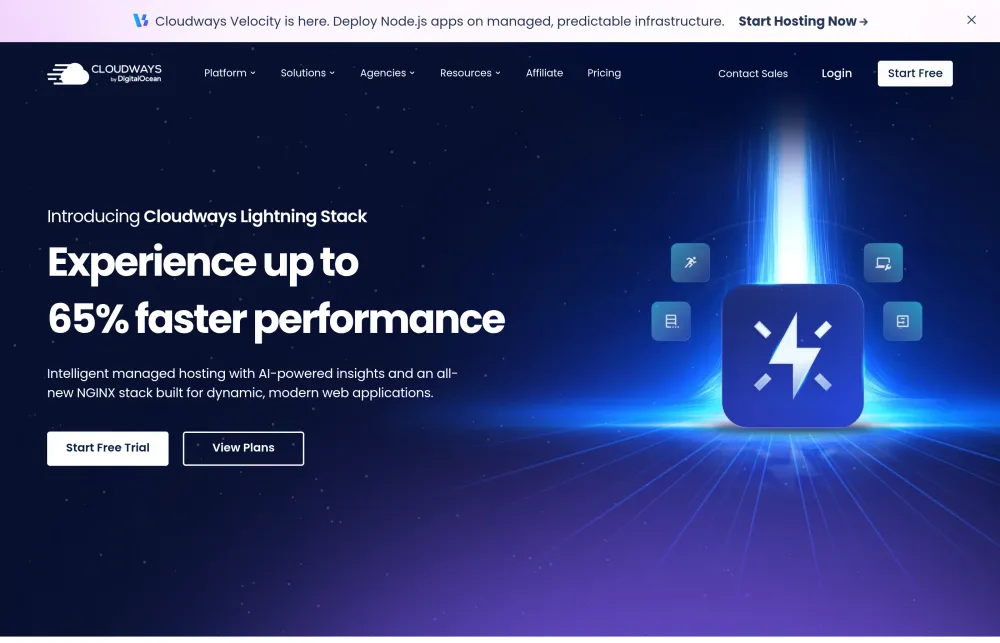
- Cloudways official site — www.cloudways.com (features, plans and homepage screenshot above).
- Trustpilot — 4.6/5 from 3,755 reviews, verified 2026-10-01 — Trustpilot profile.
Rating sourced from Trustpilot and verified on 2026-08-18; scores change over time. Hosting Cost is independent and does not sell hosting. Pricing shown is typically a promotional intro rate that renews higher — verify current pricing at checkout.