Server & Infrastructure Concepts

Infrastructure Editor
Disclosure: Some links on this page are affiliate links — if you sign up through one, we may earn a commission at no extra cost to you. It never changes our ratings, rankings or verdicts: we don't sell hosting and take no pay-for-placement.
Who it's for
- Developers evaluating hosting types
- IT staff comparing server stacks
- Technically curious site owners
- Students learning how hosting works under the hood
By Marcus Feld, Infrastructure Editor (former data-center systems engineer)
What “Web Server Infrastructure” Actually Means
Server infrastructure is the complete stack of hardware and software that turns a rack of machines in a data center into a working web hosting service. It’s easy to talk about “hosting” as a single product. But underneath every plan — shared, VPS, dedicated, or cloud — sits the same layered infrastructure, just divided up and exposed to the customer differently. Understanding the layers explains why a $3/month shared plan and a $300/month dedicated server can both be “web hosting” while behaving nothing alike.
This page is the map. Each layer below links to a dedicated page covering that specific piece in depth.
The Five Layers of Server Infrastructure
1. Physical Hardware
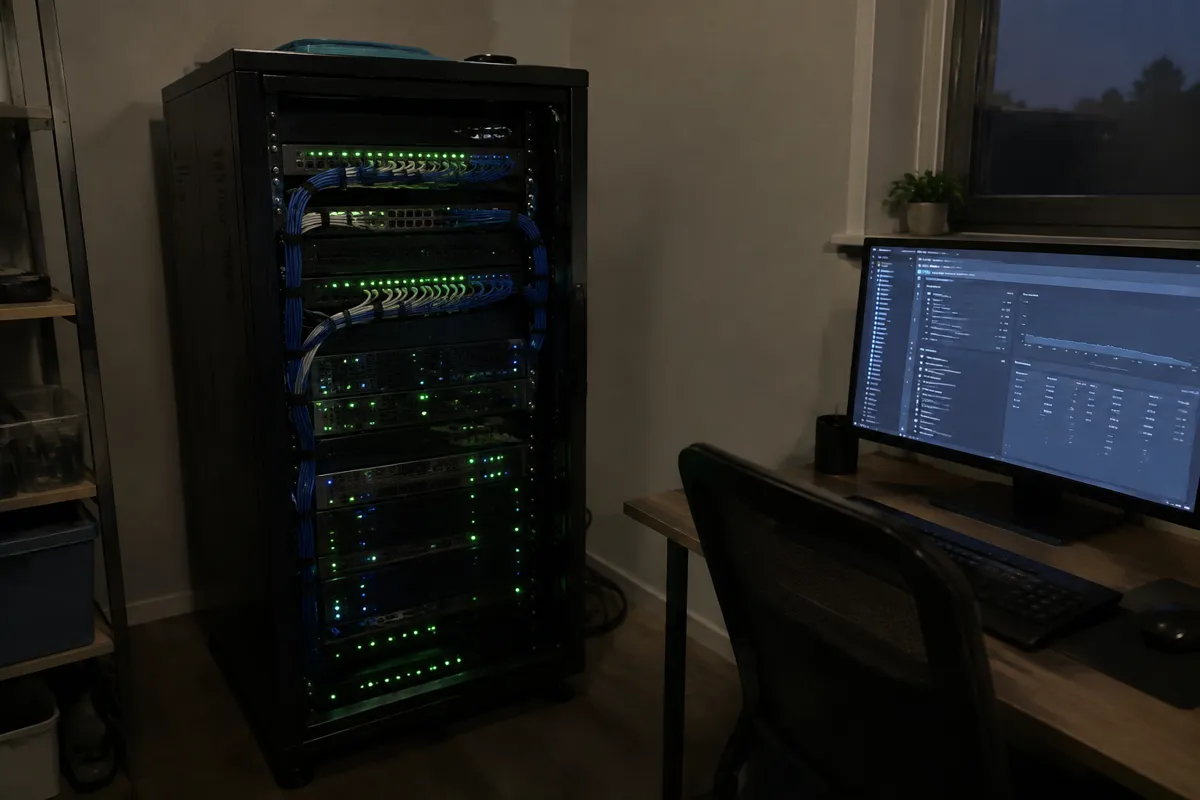
At the bottom is real, physical equipment: rack-mounted servers with CPUs, RAM, storage drives (increasingly NVMe), and network interface cards. These sit in a data center with power redundancy, cooling, and physical security. Every hosting plan, no matter how abstracted, ultimately traces back to physical machines somewhere.
2. Virtualization
Physical hardware is rarely handed to one customer whole. A hypervisor slices a physical machine into isolated virtual machines, each behaving like its own independent server. This is what makes VPS hosting and cloud hosting possible. It’s also the layer that determines how much of a physical machine’s resources a customer is actually guaranteed versus sharing.
3. Operating System
Every server, physical or virtual, runs an operating system that manages its resources and provides the environment other software runs in. In hosting, this choice usually comes down to Linux vs Windows server, a decision with real consequences for compatibility, licensing cost, and the tools available to manage the machine.
4. Web Server Software
Sitting on top of the OS is the software that actually listens for browser requests and serves website files. Apache vs Nginx is the classic comparison, while LiteSpeed is the commercial alternative many WordPress-focused hosts have adopted for its caching performance. This is the layer most directly responsible for how fast a site responds under load.
5. Network and Access
The final layer covers how the server connects to the wider internet and how administrators reach it to manage it. Remote administration on Linux-based infrastructure runs almost entirely through SSH, the encrypted protocol that gives command-line access to a server. Increasingly, this layer also includes container platforms like Docker, which package and deploy applications independently of the underlying OS configuration.

Alternatives at Each Layer
Server infrastructure isn’t one fixed recipe. Nearly every layer has competing options, and hosting providers make different choices for different plan types:
- Hardware: bare-metal dedicated machines vs. clustered/distributed hardware pools used in cloud hosting.
- Virtualization: full hypervisor-based VMs vs. lighter-weight containerization (Docker, LXC).
- Operating system: Linux distributions (the majority of hosting) vs. Windows Server (needed for .NET-specific stacks).
- Web server software: Apache, Nginx, and LiteSpeed each trade configurability, raw speed, and caching behavior differently.
- Access model: shared control panel access vs. full root/SSH access on VPS and dedicated plans.
Trade-Offs: Control vs. Convenience
The consistent theme across every layer is a trade-off between control and operational burden. More control — root access, choice of OS, choice of web server software, containerized deployment — means more responsibility for configuration, security, and maintenance. Less control means the provider makes those decisions for the customer, in exchange for a simpler, more hands-off product. This single trade-off explains most of the differences between shared hosting, VPS hosting, and dedicated hosting.
Which Hosting Types Expose Which Infrastructure
- Shared hosting abstracts away almost every layer above; customers get a control panel, not server access.
- VPS hosting exposes virtualization and above — customers typically get root/SSH access and can choose their own OS and web server software.
- Dedicated hosting exposes everything from physical hardware upward — full control, full responsibility.
- Cloud hosting re-abstracts hardware and virtualization behind on-demand provisioning, while still exposing OS and web server choices.
- Managed hosting (any type) hides the infrastructure layers behind a support team, regardless of how much technical access the plan technically includes.
A Concrete Example: Tracing One Request Through the Stack
A visitor types a website’s address into their browser. That request travels over the network and arrives at the data center where the site’s server lives. It hits the network layer first — the firewall and, on Linux boxes, whatever remote-access rules govern SSH are entirely separate from this incoming traffic. The request is handed to the web server software (Apache, Nginx, or LiteSpeed), which checks its configuration and retrieves the requested files. If the site runs on PHP or another server-side language, the request is passed along to be processed before a response is built. That response travels back down through the operating system, out through the network interface, across the internet, and into the visitor’s browser. All of this happens in well under a second, across every layer described above, for every single page load.

Reliability and Redundancy Across the Stack
Infrastructure quality isn’t just about speed — it’s also about what happens when something fails. Data centers build in redundant power and cooling. Virtualization platforms can migrate a virtual machine off failing hardware without downtime. Operating systems and web server software get patched for security without necessarily taking a site offline. And network-layer protections guard against everything from basic outages to deliberate attack traffic. A hosting plan’s advertised uptime is really a statement about how well all five layers are engineered to avoid, and recover from, failure — not a property of any single layer alone.
Why This Matters When Choosing a Host
Marketing copy rarely uses the word “infrastructure” directly, but nearly every hosting decision is really an infrastructure decision in disguise. A plan that’s “slow” is usually thin on hardware resources or running under-configured web server software. A plan that “can’t run my app” usually means the wrong operating system or missing containerization support. Understanding the five layers turns vague complaints like “this host feels slow” or “this host is too locked down” into specific, answerable questions: which layer is the bottleneck, and which hosting type exposes the control needed to fix it.
FAQ
Do I need to understand server infrastructure to buy hosting? No — most buyers never interact with these layers directly. It becomes relevant once a plan is slow, needs custom software, or a developer wants specific control over the environment.
What’s the difference between infrastructure and a web server? A web server is one layer of infrastructure — the software that handles requests. Infrastructure is the entire stack that supports it, from physical hardware up through networking.
Why do some hosting plans let me choose Linux or Windows, and others don’t? Shared and managed plans standardize the stack to keep support simple. VPS and dedicated plans expose OS choice because the customer is expected to manage more of the infrastructure themselves.
Is Docker part of server infrastructure or an alternative to it? Both. Docker runs on top of existing infrastructure but changes how applications are deployed and isolated, which is why it’s treated as its own infrastructure layer in modern hosting.