Best Web Hosting: How to Find the Right Host

Infrastructure Editor
Disclosure: Some links on this page are affiliate links — if you sign up through one, we may earn a commission at no extra cost to you. It never changes our ratings, rankings or verdicts: we don't sell hosting and take no pay-for-placement.

Our Picks
Top Hosting for Any Website
The highest-rated hosts we track, across every use case — a shortlist to start from before you narrow by need.
How this is ranked.Ranked by independently verified Trustpilot ratings, checked as of Oct 2026. We don't sell hosting and take no placement fees.
Disclosure. Some “Visit” links below are affiliate links — if you sign up through them we may earn a commission at no extra cost to you. It never affects the order: we don’t sell hosting, take no placement fees, and rank purely on verified Trustpilot ratings.
SiteGround
From $2.99/mo
Trustpilot · 30,894 reviews · as of 2026-10-01
Premium performance and best-in-class support — you pay for it, especially at renewal.
Strengths
- Highest verified Trustpilot score in this set
- Excellent performance and support reputation
- Developer-friendly tooling
Watch-outs
- One of the harshest intro-to-renewal jumps
- Low storage caps on entry plans
- Cloud tier is expensive
At a glance
| # | Host | From | Trustpilot | Best for |
|---|---|---|---|---|
| 1 | SiteGround | $2.99/mo | 4.9 / 5 | Users who prioritise performance, support and reliability over price — growing WordPress/WooCommerce sites. |
| 2 | Scala Hosting | $2.95/mo | 4.9 / 5 | Users wanting managed cloud VPS on a budget and anyone wanting to avoid cPanel licensing costs. |
| 3 | A2 Hosting (now Hosting.com) | $3.99/mo | 4.8 / 5 | Developers and power users wanting speed (LiteSpeed/NVMe) and flexibility. |
| 4 | TMDHosting | $2.99/mo | 4.8 / 5 | Small businesses and WordPress/WooCommerce owners wanting well-supported, affordable shared/cloud hosting. |
| 5 | Kinsta | $35/mo | 4.8 / 5 | Businesses and agencies wanting top-tier managed WordPress performance and willing to pay for it. |
| 6 | FastComet | $1.79/mo | 4.7 / 5 | Beginners and small businesses wanting a feature-rich, well-supported shared/cloud host with global data centers. |
| 7 | Hostinger | $1.99/mo | 4.6 / 5 | Beginners, personal sites and small businesses wanting the lowest cost of entry. |
Trustpilot scores verified Aug 2026. Intro prices are promotional and renew higher — verify at checkout.

SiteGround
From $2.99/mo
renews steeply (~$17.99/mo)
Trustpilot · 30,894 reviews · as of 2026-10-01
SiteGround is a performance-first host with the highest verified rating in our set (4.9/5 from 30,210 Trustpilot reviews). It suits growing WordPress and WooCommerce owners who value speed, top-rated support and reliable uptime over the lowest price. The catch is cost — intro pricing is competitive, but the renewal is one of the harshest jumps (around $17.99/mo), and entry plans have low storage caps.
Hosting types
Key services
- Runs on Google Cloud infrastructure
- In-house SG Optimizer caching and Ultrafast PHP
- Daily backups included
- Staging environments on higher tiers

Scala Hosting
From $2.95/mo
renews higher (~$9.95/mo shared)
Trustpilot · 2,209 reviews · as of 2026-10-01
Scala Hosting is a value-focused host for users wanting managed cloud VPS on a budget or wanting to avoid cPanel licensing costs, with a top-tier 4.9/5 across 2,199 Trustpilot reviews. Its standouts are an exceptional support reputation, managed VPS value via its in-house SPanel, and SShield real-time AI security monitoring. The trade-offs are shared intro rates that jump significantly at renewal (to about $9.95/mo) and an SPanel that's less familiar than cPanel.
Hosting types
Key services
- SPanel — in-house all-in-one cPanel alternative (no per-account license cost)
- SShield real-time AI security monitoring
- Managed cloud VPS at near-shared prices
- Choice of AWS/DigitalOcean or own data centres

A2 Hosting (now Hosting.com)
From $3.99/mo
renews higher (~$10.99/mo)
Trustpilot · 7,180 reviews · as of 2026-10-01
A2 Hosting (now Hosting.com) is a speed-focused, developer-friendly host with a strong 4.8/5 across 6,833 Trustpilot reviews. Its standouts are a genuine performance edge on LiteSpeed/NVMe "Turbo" plans and an anytime money-back guarantee. The trade-offs are that the headline speed needs the pricier Turbo tier, renewal multiples are steep, and the A2-to-Hosting.com rebrand may cause some confusion.
Hosting types
Key services
- "Turbo" LiteSpeed and NVMe speed-focused plans
- Anytime money-back guarantee
- Free site migration
- Choice of global data centres
TMDHosting
From $2.99/mo
renews sharply higher; best value needs a 36-month commitment
Trustpilot · 1,749 reviews · as of 2026-10-01
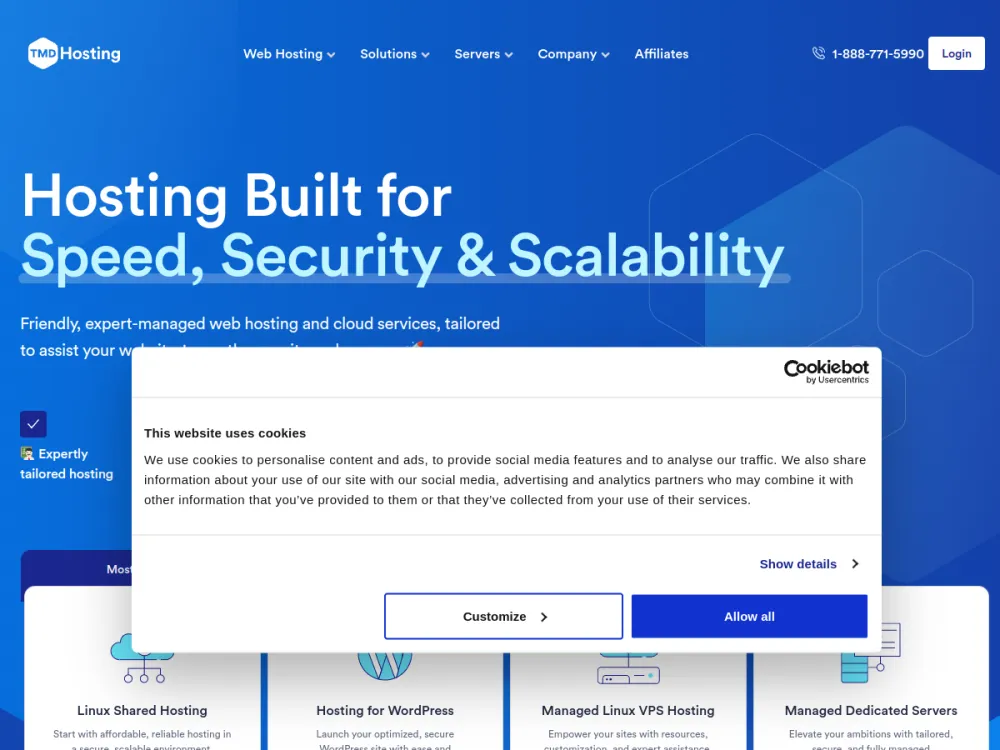
TMDHosting is a friendly budget-to-mid host for small businesses and WordPress/WooCommerce owners wanting well-supported, affordable shared/cloud hosting, rating 4.8/5 across 1,684 Trustpilot reviews. Its strengths are responsive support, a low-risk 60-day money-back window and a full feature set with global data centres. The trade-offs are low intro rates that rise sharply at renewal (best value needs a 36-month term) and middling third-party performance scores (~78%).
Hosting types
Key services
- Strong, fast support reputation
- Generous 60-day money-back guarantee on shared/cloud
- Free migration, daily backups, free SSL and cPanel
- Multiple worldwide data-center locations
Kinsta
From $35/mo
premium flat pricing, no cheap entry tier
Trustpilot · 1,147 reviews · as of 2026-10-01
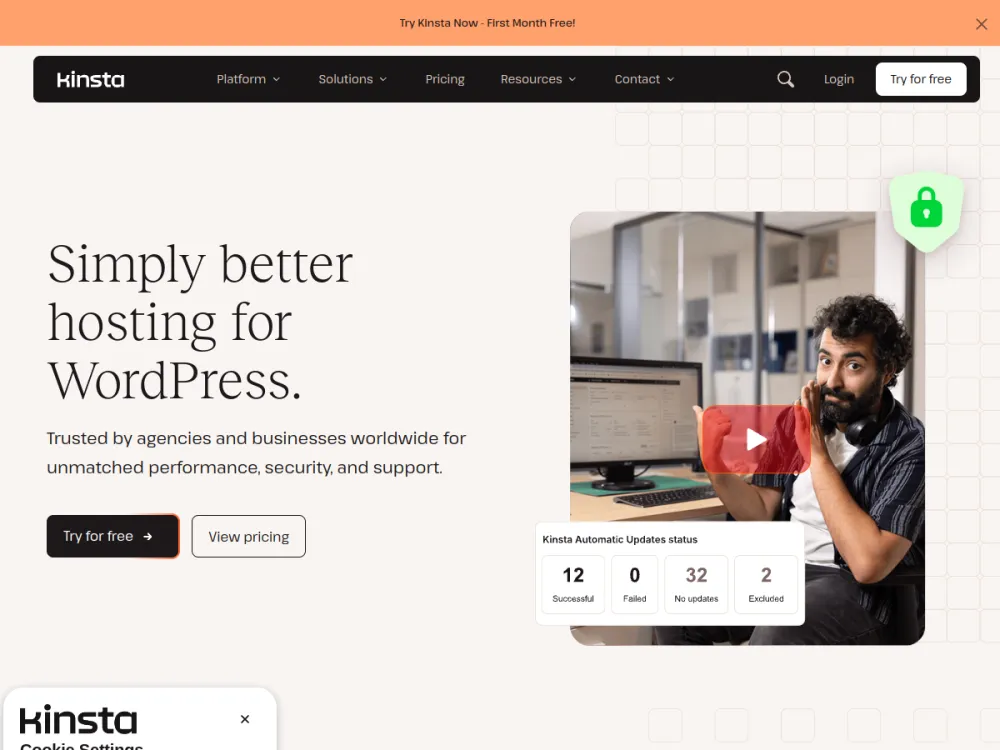
Kinsta is a premium managed-WordPress host for businesses and agencies wanting top-tier performance, rating 4.7/5 across 1,132 Trustpilot reviews. Its standouts are Google Cloud premium-tier infrastructure with Cloudflare, excellent support, strong developer tooling and free expert migrations. The trade-off is price — flat premium pricing from around $35/mo with no cheap entry tier, and it's WordPress-focused with no domain or email hosting.
Hosting types
Key services
- Google Cloud Platform premium tier with Cloudflare integration
- CDN with 260+ points of presence and free unlimited migrations
- Staging environments, Kinsta API and built-in APM
- Managed WAF and DDoS protection with free malware removal
FastComet
From $1.79/mo
renews sharply higher (~$8.95/mo Starter); lock a 3-year term to defer
Trustpilot · 3,967 reviews · as of 2026-10-01
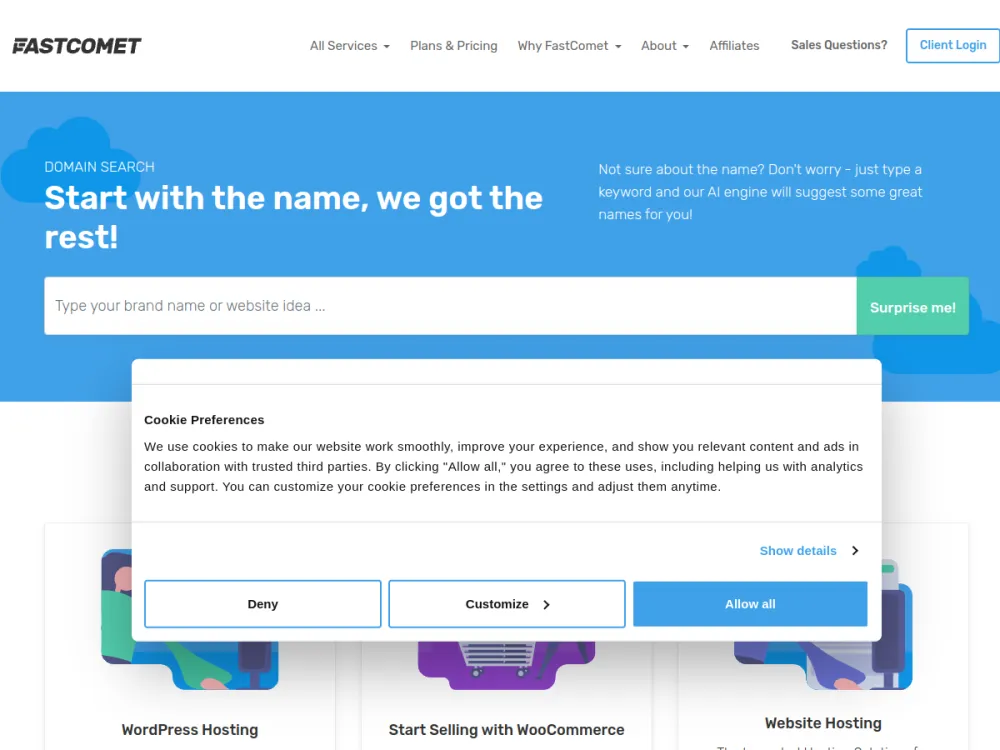
FastComet is a beginner-friendly host for small businesses wanting a feature-rich, well-supported shared/cloud host with global data centres, rating 4.7/5 across a solid 3,790-review Trustpilot base. Its strengths are a long-standing support reputation and generous freebies — daily backups, SSL and Cloudflare CDN — bundled into cheap plans. The trade-offs are a steep intro-to-renewal jump (to about $8.95/mo Starter) and some user caution after the WorldHostGroup ownership change.
Hosting types
Key services
- Free daily backups, free SSL and free Cloudflare CDN on all plans
- Free website migration
- Imunify360 security and proactive support
- 45-day money-back guarantee

Hostinger
From $1.99/mo
renews substantially higher (~$10.99/mo shared)
Trustpilot · 72,700 reviews · as of 2026-10-01
Hostinger suits beginners, personal sites and small businesses chasing the lowest cost of entry, and it holds the largest review base in our set (4.7/5 from 71,365 Trustpilot reviews). Its standout is value — among the cheapest credible intro prices, with LiteSpeed and NVMe performance for the money. The trade-off is a big jump from intro to renewal (around $10.99/mo shared), and the lowest rates need a long up-front prepayment.
Hosting types
Key services
- hPanel custom control panel aimed at beginners
- Free SSL and email on most plans
- LiteSpeed web server and NVMe storage on many plans
- Bundled AI website and site-building tools
Who it's for
- Buyers by use-case
Best Web Hosting: How to Find the Right Host
Marcus Feld, Infrastructure Editor
Search “best web hosting” and you’ll get hundreds of pages, each claiming to have found the one true winner. They haven’t, because the question is malformed. There is no single best web host. There is only the host that fits a specific workload, budget, skill level, and growth trajectory. A host that’s excellent for a solo blogger can buckle under an ecommerce store’s Black Friday traffic, and a host built for that store is wildly overpriced for someone who just needs a five-page portfolio site.
The short answer: the best web hosting is the plan that stays up, loads quickly for your actual visitors, answers support requests competently, and costs what you expected it to cost in year three as well as year one. For most small sites that means a reputable shared or managed plan. For growing or application-heavy sites it means a VPS or cloud platform with a clear upgrade path.
This page doesn’t crown a winner. It gives you the decision variables that actually determine fit, a short checklist, and an honest explanation of how to judge any host on the criteria that matter. Use it to work out which category of host, and which specific use-case guide on this site, applies to your situation.
The Variables That Actually Decide “Best”
Before comparing any providers, four variables determine what “best” means for you.
- Workload. A static portfolio, a WordPress blog, a Node.js API, and a high-traffic ecommerce catalog each place different demands on CPU, memory, and disk I/O. Workload is the single biggest driver of hosting type, and it’s the variable people most often get wrong by describing the site they hope to have rather than the one they’re launching.
- Budget. Look past today’s price to the trajectory. A host that’s cheap at launch but charges punishing renewal rates isn’t actually cheap, and neither is one that forces an expensive migration at scale. See our guide on best cheap web hosting for how to spot that trap.
- Technical skill. Some hosts hand you a one-click installer and a support chat. Others hand you root access and nothing else. Neither is “better”; they’re built for different operators, and beginners and developers need almost opposite things. That’s why we treat best hosting for beginners and best hosting for developers as separate decisions.
- Growth trajectory. A site that will plausibly 10x in traffic within a year needs a real upgrade path, whether that’s shared to VPS to dedicated or a managed platform that scales automatically. A site that will stay small indefinitely doesn’t need to pay for that headroom.
Get these four variables straight and the question gets much easier. It becomes: which category of hosting fits this workload, at this budget, for someone with this skill level, headed toward this scale?
Quick Decision Checklist
Run through this checklist before you compare a single provider.
- Name the workload in one sentence (blog, store, app, brochure site, game server).
- Set a real budget. Include year-two renewal pricing, not just the launch price.
- Rate your technical skill honestly: one-click installer, or SSH and root access.
- Estimate growth over 12 months. Confirm the host has a credible upgrade path.
- List the two or three features you can’t skip (SSL, staging, SSH, PCI-compliant checkout).
- Match your answers to one category below, then read that specific use-case guide.
Shared, VPS, Cloud, and Dedicated in Plain Terms
Most “best host” confusion is really confusion about hosting type, so it’s worth fixing first. Shared hosting puts many sites on one server and pools the resources. It’s the cheapest option and perfectly adequate for small, steady sites, but one busy neighbour or a strict resource cap can slow you down. A VPS gives you a guaranteed slice of CPU and memory on a shared physical machine, which buys predictable performance and more control in exchange for more responsibility. Cloud hosting spreads your site across a pool of machines so capacity can grow or shrink with demand, and dedicated hosting hands you a whole physical server for maximum control at the highest price.
The practical rule is to buy the smallest tier that comfortably handles your realistic peak, from a provider that lets you step up without rebuilding. Moving up a tier is routine. Moving to a different provider is a project.
What Makes the Best Web Hosting
Whatever category you land in, the underlying markers of quality don’t change. These are the same criteria we use across every use-case page on this site, and you’ll find the full breakdown in web hosting features that matter. Each one below covers what good looks like, where the trade-offs sit, and how to check a host yourself instead of trusting its sales page.
Uptime
A host’s core job is staying online, and the gap between “good” and “poor” is larger than the percentages suggest. At 99.9% uptime a site is down for roughly 8.75 hours a year, or around 43 minutes a month. At 99.5% that becomes about 44 hours a year, and at 99% it’s more than three and a half days. Those gaps are the difference between an occasional blip and a recurring outage your customers notice.
The number on a pricing page tells you very little. Most providers publish an uptime guarantee, but a guarantee is a refund policy, not a measurement: it usually pays out a small service credit after you’ve filed a claim, and it does nothing for the sales you lost during the outage. What you want is a long, independently monitored history, ideally months rather than a snapshot, from a monitoring service the host doesn’t control. You can also run your own free external monitor for a month during any trial or refund window, which costs nothing and produces data no review can match.
Also look at how outages happen, not just how often. A brief outage during a planned maintenance window at 3am is a very different event from an unplanned multi-hour failure at midday. Check the host’s public status page and read how it communicated through past incidents. Hosts that post clear, timely, honest updates tend to be the ones that fix things quickly too. The most common mistake is treating 99.9% as a guarantee of reliability when it is merely a minimum bar, and assuming any host advertising it has cleared it.
Performance
Performance comes down to three things: time to first byte (how quickly the server starts responding), how well responses hold up under concurrent load, and how gracefully the infrastructure handles a traffic spike. Those are not the same measurement. A host can post an excellent response time on an empty test site and still fall apart when fifty visitors arrive at once, because the bottleneck is usually CPU allocation, memory limits, or database performance rather than raw network speed.
Performance is also workload-specific. A static site’s profile looks nothing like a database-heavy ecommerce store’s, where every uncached page view triggers queries and PHP execution. That’s why fast hosts pair modern SSD or NVMe storage with server-side caching and a CDN such as Cloudflare. A CDN serves static assets from a location near the visitor, which matters most when your audience is far from the origin server. Choose a data centre region near your main audience first, and add a CDN for everyone else.
Be wary of performance claims built on synthetic benchmarks you can’t reproduce. A better test is to install your real site on a trial plan and measure it from the locations your visitors actually use, with Google’s PageSpeed Insights and a free multi-location testing tool. Pay attention to the published resource limits as well. Caps on CPU seconds, entry processes, and inodes are where “unlimited” plans quietly throttle you, and they explain most cases where a cheap plan feels fast for a month and then slows down.
Support
Support quality comes down to three things: response time, the channels available (live chat, ticket, phone), and whether the person answering can actually solve a technical problem. A script-reader who pastes knowledge-base links doesn’t count. Support matters more, not less, as your technical skill decreases, because a beginner can’t diagnose a problem well enough to escalate it past a first-line agent.
The best way to judge it is to test it before you buy. Ask a specific pre-sales technical question, such as whether the plan supports the PHP version your theme needs or how backups are restored, and see how long the answer takes and how specific it is. Vague, evasive, or copy-pasted replies before you’ve paid are a reliable preview of what you’ll get afterwards. Check whether support is available around the clock or only in business hours in a time zone that doesn’t match yours, and whether migrations and malware clean-ups are included or sold as extras.
One more trade-off is worth knowing. Managed hosts charge more partly because their support staff handle server-level issues on your behalf. Unmanaged VPS plans are cheaper because that work becomes yours. If the thought of reading an error log makes you uneasy, the extra cost of managed support is usually money well spent.
Security
Look for free SSL by default, often via Let’s Encrypt, and treat it as the bare minimum rather than a selling point. Beyond that, the questions that matter are operational: are automated backups included, how often do they run, how long are they kept, and are they stored away from the server itself? A backup on the same machine as your site is not a backup if that machine fails or is compromised. Ask whether restores are self-service, and test one.
Also look for malware scanning, a web application firewall, account isolation so a compromised neighbour can’t reach your files, and a steady patching cadence for the operating system, web server, and PHP versions. Running an end-of-life PHP version is one of the most common avoidable risks on shared hosting, so check which versions are supported and how quickly new ones arrive.
Be realistic about who is responsible for what. A host secures the infrastructure; you remain responsible for the application on top of it. Most real-world compromises come from outdated plugins, reused passwords, or abandoned themes rather than a failure of the host itself. Security is non-negotiable across every category, and it becomes more demanding as the site handles sensitive data such as payment details, user accounts, or donor records. In those cases, confirm the compliance your situation requires instead of assuming it.
Scalability
Scalability is the question of what happens when you succeed. Can you move from this plan to the next tier without a full migration? Is there a VPS or dedicated option under the same provider, or does growth mean starting over elsewhere? Is the upgrade a few clicks and a short window, or a support ticket and a rebuild?
There are two distinct kinds to check. Vertical scaling means moving to a bigger plan on the same provider, which is simple but has a ceiling and sometimes brief downtime. Horizontal or automatic scaling means capacity that expands with load, which suits unpredictable traffic but usually costs more and needs an application designed for it. Most sites only ever need the first kind, and overbuying the second is a common and expensive mistake.
Judge a host by its ladder, not its top rung. Look at the gap between the plan you’re buying and the next one up: large price jumps or sudden resource cliffs are a sign that you’ll feel forced to migrate at the worst possible moment. Also check that you can downgrade as easily as you upgrade, so a one-off traffic spike doesn’t lock you into a permanent higher bill.
Budget and Transparent Pricing
Check the introductory price, the renewal price, and what’s bundled versus upsold. The renewal price is the figure that governs your real cost, because introductory discounts usually apply only to the first term and often only when you prepay for several years. Work out the total for three years, not one, and compare hosts on that number.
Then read the small print on the extras. Some hosts charge separately for backups, SSL renewals, malware removal, email, or domain privacy, while others include them, so two plans with different sticker prices can cost the same once equivalent features are added. Also check what a downgrade or cancellation actually costs, whether refunds cover only the hosting or also the domain, and how long the money-back window runs. Renewal-price shock is the single most common regret we hear from site owners who chose on sticker price alone.
Cheap is not the same as bad, and expensive is not the same as good. The right question is whether the price buys resources, support, and reliability you will really use. A modest plan from a transparent provider almost always beats a rock-bottom plan that nudges you to upgrade within months.
Features and Tooling
The control panel determines how easily you manage domains, databases, and email without a developer. cPanel is the familiar standard, but many hosts now ship a custom dashboard, and a good custom panel beats a clunky cPanel. What matters is whether you can do your routine tasks without raising a ticket. Look for one-click WordPress installs, staging environments for testing changes safely, and simple DNS and email management.
For developers, the checklist shifts: SSH access, Git integration, cron jobs, command-line tools, and current versions of PHP, Node.js, or Python. Confirm version support before you commit if you run application code, since a host locked to an old runtime can block a framework upgrade entirely. A feature you will never use is not value, so weigh tooling against the two or three capabilities from your checklist, not against the length of a feature table.
How to Choose the Best Host for You
Work through these steps in order. Each answer narrows the field before you look at a single provider.
1. What are you building? A blog, a business brochure site, an online store, a web app, a game server, or something else. This determines the hosting type you need before it determines any specific feature.
2. What hosting type matches that workload?
- Static content, low traffic, tight budget → shared hosting
- WordPress specifically → managed WordPress hosting
- Custom application code (Node.js, PHP frameworks) → application-specific or VPS hosting
- Unpredictable or high traffic → cloud or scalable VPS hosting
- Full server control, high traffic, or compliance needs → VPS or dedicated hosting
3. What features are non-negotiable for this use case? An ecommerce store needs PCI-compliant payment handling and staging environments. A developer needs SSH and a deployment pipeline. A nonprofit needs predictable low-cost pricing more than raw horsepower.
4. What’s the realistic budget, including renewal pricing? Price the second and third year, not just the first.
5. What’s the growth path if this works? Confirm the provider, or category, has a credible next tier before you commit.
Run your situation through those five questions and the checklist above. You’ll usually land in one of the use-case categories below.
Best Hosting for Small Business
A local business owner has one job when it comes to a website: be findable and credible when a customer checks. You are probably not technical, you probably update the site a few times a year, and the people who depend on it (customers searching at odd hours) will not tell you when it is down; they will simply call a competitor. That makes reliability and easy edits far more valuable than raw speed specs or long feature lists.
Prioritise three things. First, uptime and backups you can restore yourself, because a business site that disappears for a day costs real enquiries. Second, email that works properly on your own domain, since a professional address builds more trust than a free webmail account, and it is easy to forget that email and website hosting are separate decisions. Third, support that a non-technical person can reach by phone or chat when something breaks. What you can usually skip is expensive dedicated resources, since a brochure-style site on a decent shared or managed plan handles typical local traffic comfortably.
The mistake to avoid is letting a web designer or agency register the hosting and domain in their own name. If the relationship ends, you may struggle to get access to your own site. Make sure the account and domain are in your name. See best hosting for small business for the feature checklist and pricing bands that matter at this scale.
Best WordPress Hosting
WordPress is a distinct category because it has its own performance bottlenecks and security profile. Every uncached page view runs PHP and queries a database, and plugins multiply that work. The plugin ecosystem is also the most frequently targeted part of the platform, so outdated or abandoned plugins are the usual way sites get compromised. Managed WordPress hosting exists to handle both problems: server-level caching tuned for WordPress, automatic updates, malware scanning, and staging environments, usually behind a dashboard built for one-click WordPress management.
Managed hosting is not automatically the right answer. For a small blog with modest traffic, a good general-purpose shared plan with a caching plugin is often enough, and it costs noticeably less. Managed plans earn their price when the site is revenue-generating, when you would rather not manage updates and backups yourself, or when traffic is large enough that caching and PHP workers become the bottleneck. Watch for visit-based pricing tiers and limits on PHP workers, which can quietly cap performance, and check whether the host restricts plugins, since some managed providers ban certain caching or backup plugins that duplicate their own tooling.
Whatever you choose, test a staging copy before major updates and keep off-server backups. Full detail in best WordPress hosting.
Best Hosting for Ecommerce
An online store raises the stakes on every criterion. Downtime during a sale isn’t an inconvenience, it’s lost revenue, and slow pages directly reduce completed checkouts. So the priorities are uptime you can verify, capacity that holds up when a campaign or sale sends traffic spiking, and performance on the dynamic pages (cart, checkout, account) that cannot be served from a simple cache.
Payment handling changes the security picture too. If you use a hosted checkout from a payment provider, much of the card-data burden moves off your server, which is often the simplest and safest route for small stores. If you process payments on your own infrastructure, you take on PCI DSS obligations that your host’s setup must support, so ask specifically what they provide. Whatever the platform, insist on SSL, isolated accounts, regular off-server backups, and a staging environment so you can test changes without risking live orders.
Think about the platform you use. A hosted platform like Shopify removes the hosting decision entirely, while WooCommerce and similar self-hosted stores need a host sized for database load and concurrent checkouts. The trap is buying for average traffic rather than peak traffic. Plan for your busiest day, not your typical one. Read best hosting for ecommerce for the full checklist.
Best Hosting for Beginners
If this is your first website, you need a good onboarding experience more than impressive specs. The things that trip beginners up are rarely about server power. They are connecting a domain, understanding what a DNS record does, setting up email, installing WordPress, and working out why the site shows an error. A host that makes those steps obvious, with clear dashboards and support that patiently walks you through a DNS change, is worth more than a faster server you cannot operate.
Choose a plan with a one-click installer, a clean control panel, free SSL, and automatic backups you can restore with a click. Favour a provider with live chat and a solid knowledge base, and test the support before you pay. It’s equally important to avoid the opposite error: unmanaged VPS plans look cheap and powerful, but they assume you can administer a Linux server, and many first-timers end up stuck or exposed.
Beginners are also the audience most exposed to renewal pricing, long prepay discounts, and aggressive upsells at checkout. Decline extras you do not understand, buy a term you are comfortable with, and keep your domain registration and account details in your own name. See best hosting for beginners for what “beginner-friendly” should actually mean.
Best Hosting for Developers
Developers need control and a host that stays out of the way of their workflow. The baseline is SSH access, Git-based deployment, staging environments, cron jobs, and a choice of runtime versions. Beyond that, think about how the host fits your pipeline: can you deploy from CI, roll back a bad release, and inspect logs without opening a ticket? A platform that forces everything through a GUI, or pins you to one language version, turns into friction quickly.
This is close to the opposite of the beginner priority list, and it changes the trade-offs. Support tends to matter less for hand-holding and more for competence on genuinely hard problems. Raw resources, network quality, and predictable pricing matter more than onboarding wizards. A VPS or cloud instance gives you the freedom you want, at the price of owning patching, firewalls, backups, and monitoring, so be honest about whether you actually want to be your own sysadmin for this project. Managed application platforms offer a middle path: you give up some control and take on a higher unit cost, but you skip the server upkeep.
Check for lock-in before committing, such as proprietary build systems or storage formats that make leaving hard. Full breakdown in best hosting for developers.
Best Hosting for High-Traffic Sites
“High traffic” is about the shape of the load more than the headline number. A site with steady, cacheable, mostly-read traffic, like a publisher, can serve enormous audiences from modest infrastructure with good caching and a CDN. A site with dynamic, personalised, write-heavy traffic, like a membership platform or a busy store, needs far more capacity for the same number of visitors. Start by understanding which one you are, and where your bottleneck sits: the web server, the application, or the database.
From there the priorities are infrastructure that scales without downtime, real load-testing data rather than marketing claims, and monitoring that tells you about a problem before your visitors do. Ask how the host handles sudden spikes, whether scaling is automatic or needs a manual upgrade, and what happens if a single server fails. Redundancy and failover, meaning a second machine ready to take over, are worth paying for once downtime has a real cost.
Support matters differently here too. You need a team that can handle an incident at 2am, with escalation paths to engineers rather than a queue of first-line agents. Load-test your own site before a big launch. See best hosting for high-traffic websites.
Best Hosting for Blogs
A blog lives or dies on consistency. Readers and search engines both reward pages that load quickly and a site that is reliably available, so solid uptime and good response times matter more than exotic features. Most blogs are read-heavy and cache well, which means a modest plan with caching and a CDN usually outperforms a larger plan left unconfigured.
Think about the workflow you will actually use. If you publish on WordPress, you want easy updates, reliable backups, and a host that supports current PHP versions. If you run a static-site blog, you may need nothing more than inexpensive static hosting. Consider storage growth too, since an archive with many images and years of posts keeps growing, so check that storage and backup limits leave room for it. The other trap is paying for a high tier in advance of traffic that has not arrived. Start small and upgrade when your analytics justify it. Detail in best hosting for blogs.
Best Hosting for Portfolio Sites
A portfolio has one purpose: show your work quickly and look professional doing it. Traffic is usually low, so you do not need much compute, but visitors are often clients or recruiters making a snap judgement, which means slow-loading images hurt you disproportionately. The priorities are fast media delivery, reliable uptime around the time you are actively applying or pitching, and a clean, fuss-free way to update the site.
Image handling is where most portfolios go wrong. Oversized, unoptimised files, not the server, are usually the reason a beautiful site feels slow, so compress images, serve modern formats, and use a CDN if your audience is international. Static site hosting is often the ideal fit for a portfolio: it is fast, secure, and sometimes free or very cheap, with little to maintain. Whatever you pick, use a custom domain in your own name and make sure it renews automatically so a lapse never takes your work offline. See best hosting for portfolio websites.
Best Hosting for Nonprofits
A nonprofit website has to do several jobs on a tight budget: explain the mission, take donations or sign-ups, and be maintained by whoever has time, often volunteers with mixed technical skill and frequent turnover. That changes the priorities. Predictable, low pricing matters more than raw performance, because a surprise renewal jump can consume a meaningful part of a small annual budget. So does simplicity, since the person who updates the site next year may not be the person who set it up.
Weigh the things that protect trust. If you take donations, payment and donor data need secure handling, so use a reputable payment processor or donation platform rather than building your own form, and confirm SSL and regular backups. Uptime matters most around campaigns and appeals, when traffic spikes and a failure costs real donations. Make sure the account and domain sit in the organisation’s name, not a volunteer’s personal account, and keep shared login details somewhere the next volunteer can find them.
Some providers offer discounts for registered charities, but policies change and you should ask directly and verify eligibility rather than assuming one exists. Avoid overbuying: a well-run mission site does not need VPS-level resources. The money is better spent on reliable backups and a host whose support will actually help an amateur administrator. Read best hosting for nonprofits.
Best Hosting for Agencies
An agency is buying hosting as an operating system for its business, not for a single site. The cost of a bad choice multiplies across every client, so the priorities are manageability at scale: a single dashboard for many sites, isolated accounts so one client’s compromised site cannot spread, white-label or reseller options, and staging-to-production workflows that let you test safely before pushing live.
Billing structure matters as much as technical specs. Per-site pricing that looks reasonable for three sites can become punishing at forty, while pooled-resource plans or reseller accounts can flatten the cost curve, at the price of one noisy client affecting others. Decide who owns each client’s hosting account, and be clear about that in your contracts, because handing over a site cleanly is part of your reputation. Support also becomes a business input: you need fast escalation for urgent client incidents and ideally a named technical contact rather than a public queue.
Finally, think about your own exit. Avoid proprietary tooling that makes moving a client site painful, and keep backups independent of the host. See best hosting for agencies.
Best Cheap Web Hosting
If budget is the primary constraint, the real question isn’t the lowest sticker price. It’s the lowest total cost over the period you will actually stay, without dropping below the uptime baseline, at a renewal rate you can live with. Cheap hosting can be perfectly good for a small, simple site. It becomes a false economy when limits on CPU, storage, or entry processes throttle the site, when essentials like backups are sold separately, or when the renewal price is several times the introductory one.
Calculate the three-year cost, list what is included, and read the resource limits behind any “unlimited” claim. A sensible approach is to buy the smallest reputable plan for a shorter term, confirm the performance and support are acceptable, and only then commit longer. Full analysis in best cheap web hosting.
Best Node.js Hosting
Node.js applications need a runtime the host genuinely supports, and a generic shared-hosting workaround isn’t enough. Node apps run as long-lived processes, so you need process management, control over the Node version, the ability to set environment variables, and often WebSocket support. Traditional shared hosting built around PHP frequently cannot provide these reliably, which is why Node projects usually belong on a VPS, a cloud instance, or a platform built for application deployment. Memory is typically the constraint to size first. See best Node.js hosting.
Best PHP Hosting
PHP hosting quality depends heavily on version support, OPcache configuration, and execution limits, details that generic hosting reviews rarely cover. A host that lags on current PHP versions leaves you with slower code and security risk, since unsupported versions stop receiving fixes. Check the maximum memory limit, execution time, and number of PHP workers as well, because those limits decide how a busy dynamic site behaves under load. Read best PHP hosting.
Best Game Server Hosting
Game servers have different needs from websites. Low-latency networking close to your players, strong DDoS protection, and specs built around concurrent player load rather than web traffic all matter. Single-core CPU speed is often more important than core count for many titles, and memory requirements climb quickly with mods and player counts. Choose a location near most of your players and check how the provider handles attack traffic. See best game server hosting.
Best Email Hosting
Email hosting is a different infrastructure problem from web hosting. Deliverability, spam filtering, and mailbox storage matter more than page load speed, and a poor email setup means messages landing in spam or not arriving at all. Keeping email separate from your website host also means a website problem does not take your inbox down with it. Look for proper authentication support (SPF, DKIM, and DMARC), reasonable storage per mailbox, and clear migration tools. Full guide at best email hosting.
Best Hosting for Multiple Websites
If you’re hosting more than one site, plan structure decides whether you’re overpaying. The key points are per-site limits, how resources are shared between sites, and whether reseller-style accounts keep each site isolated. A plan that allows many sites can still choke them if they all draw on one small pool of CPU and memory, and one compromised site can put the others at risk unless accounts are separated. See best hosting for multiple websites.
Common Mistakes
Choosing on introductory price alone. The first-term discount is frequently a large fraction below the renewal rate. Always check the renewal price before committing.
Ignoring the migration path. Choosing a host without checking whether you can upgrade later means a full re-migration the moment you outgrow the plan.
Buying more than the workload needs. Paying for dedicated-server power for a five-page brochure site wastes budget. That money is better spent on design, content, or marketing.
Skipping uptime verification. Marketing pages quote uptime; they don’t prove it. Look for independently monitored uptime history, not a claim on the pricing page.
Underestimating support needs. Technical skill and support quality trade off against each other. A beginner on a host with slow, generic support will struggle regardless of the server specs underneath.
Forgetting the workload will change. A launch-day workload and a one-year workload are rarely the same. Choosing purely for day-one traffic ignores the growth trajectory question from the checklist above.
Skipping a side-by-side comparison. Reading isolated reviews makes every host sound reasonable in a vacuum. Line up the actual numbers (uptime, support response time, renewal pricing, resource limits) in our hosting comparison table before deciding.
If you want the full, general-purpose walkthrough of this decision process independent of any specific use case, see how to choose web hosting.
Frequently asked questions
- Is there actually one "best" web host?
- No. Hosting quality is workload-dependent. A host that excels for a high-traffic ecommerce store is a poor fit for a low-traffic portfolio site, and vice versa. "Best" means best-fit for your specific workload, budget, skill level, and growth trajectory.
- What's the difference between shared, VPS, and dedicated hosting?
- Shared hosting puts many sites on one server sharing resources. It's cheap but limits performance under load. VPS hosting allocates dedicated virtual resources on a shared physical server. That offers more control and headroom. Dedicated hosting gives you an entire physical server. That's maximum performance and control at the highest cost.
- How much should I expect to pay for good web hosting?
- It depends entirely on category. See best cheap web hosting for budget options and the use-case pages above for category-specific pricing bands. The more useful question is total cost including renewal, not just the launch price.
- Does the cheapest host mean the worst host?
- Not necessarily. But the lowest introductory price often comes with a much higher renewal rate or tighter resource limits. Evaluate total cost of ownership, not the first invoice.
- How important is uptime when comparing hosts?
- Very. Uptime below 99.9% translates into real, recurring downtime. That costs traffic, revenue, and — for ecommerce — sales during outages. Look for independently monitored uptime history rather than a marketing claim.
- Can I switch hosts later if my needs change?
- Yes, but migration has real cost in time and risk, especially for larger sites. That's why the decision checklist above includes growth trajectory. Choosing a host with a credible upgrade path reduces how often you'll need to migrate.
Related pages
- Best Hosting for Small Business
- Best WordPress Hosting
- Best Hosting for Ecommerce
- Best Hosting for Beginners
- Best Hosting for Developers
- Best Hosting for High-Traffic Sites
- Best Hosting for Blogs
- Best Hosting for Portfolio Sites
- Best Hosting for Nonprofits
- Best Hosting for Agencies
- Best Cheap Web Hosting
- Best Node.js Hosting
- Best PHP Hosting
- Best Game Server Hosting
- Best Email Hosting
- Best Hosting for Multiple Websites
- Minecraft server hostingMinecraft Server Hosting
- how to chooseHow to Choose a Web Host
- features that matterWeb Hosting Features: What Actually Matters
- comparison tableMaster Hosting Type Comparison Table