The story
Everything Worked in Docker Except Hosting
My container ran flawlessly on my laptop. Deploying it to a real host felt like a long argument with ports, volumes and permissions.
By Marcus Feld, Infrastructure Editor · 7 min read
·
Disclosure: Some links on this page are affiliate links — if you sign up through one, we may earn a commission at no extra cost to you. It never changes our ratings, rankings or verdicts: we don't sell hosting and take no pay-for-placement.

Years ago, before I’d spent long enough on servers to be tired of surprises, I was building small APIs for a product team and I was a big fan of Docker. If it runs on my laptop, I used to tell my colleagues, it runs anywhere.
That sentence aged about as well as milk. These days I’m the person people ring when a container works at home and refuses to work anywhere else, and I’m very patient about it, because I’ve been that person on the other end of the line.
The thing that worked perfectly
I’d built a small service for an internal tool: an API, a worker and a little database file, all packaged in a container. On my laptop, I typed one command and it came up in seconds. I tested every route. I checked the logs. I was proud of how clean it was.
The deployment target was a managed hosting platform the company used for small projects. The documentation said it supported containers. I assumed that meant it would run mine, the same way mine ran at home.
To be fair to my younger self, the tutorials I’d followed all ended at “it works on localhost”. Nobody had walked me through the part after that, where someone else’s machine has opinions.
The wall of errors
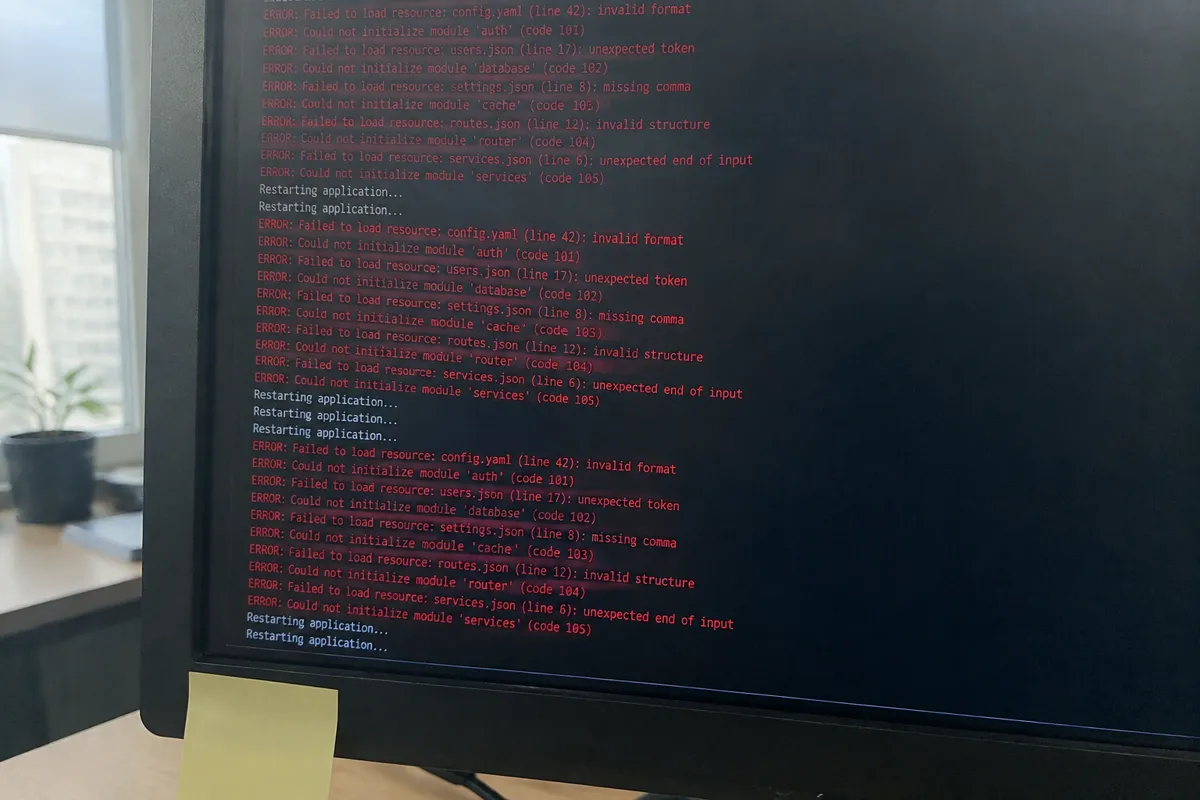
The first push built fine. Then the deploy failed. The service was starting, and being killed a few seconds later, in a loop.
The logs said the app couldn’t bind to the port. My container listened on port 3000, hard coded, because that’s what I’d always used. The platform, it turned out, assigned each app a port at startup and passed it in through an environment variable. The app was supposed to listen on whatever it was told. My hard coded port wasn’t reachable, so its health check kept failing.
I fixed that and redeployed. It stayed up. I felt a flicker of hope, which was immediately punished: the first write to my database file threw a permission error.
On my laptop, the container ran as root, and my folder was mounted as a volume I could write to. On the platform, the container ran as an unprivileged user, and the file system was read only except for a particular directory. My app was trying to write a file in a path where it had no permission.
I fixed that, too, and discovered the third issue the next morning. The service worked, then I redeployed, and all my data vanished. The writable directory was temporary. Every new deploy started with a fresh, empty disk. The platform offered persistent volumes, but I needed to attach one explicitly and mount it at a specific path.

The scramble
I spent most of two days on it, which made me grumpy and also a bit embarrassed, since the answers were all in the docs. I’d skimmed them because I thought I already understood containers.
I changed the app to read its port from the environment, with a sensible default for local use. I changed the image to create and run as a non root user, with ownership of the directories it needed. I moved the database to a persistent volume, and, frankly, started asking whether a proper managed database was a better idea than a file. I moved configuration and secrets into environment variables instead of baking them into the image.

What was actually different
Docker packages the software. It doesn’t package the environment around it. The host decides which ports are open, which users run processes, what storage survives a restart and how traffic reaches you. My laptop had been letting me get away with assumptions.
That episode is a big part of why I moved toward infrastructure work. Now I test more like production. I run the container locally as a non root user, with a read only file system and a random port. If it survives that, the real host rarely surprises me.
I keep a short deployment checklist in the repository itself: port from the environment, non root user, persistent path, secrets outside the image. New starters read it on their first day, and I’ve watched two of them skip a day of debugging.
A few things I’d tell you
- Read the platform’s container rules first. Look for port, user, storage and health check requirements.
- Listen on the port you’re given, read from an environment variable.
- Don’t run as root. Create a user and set ownership on the folders your app writes to.
- Treat container disk as temporary unless you’ve attached a persistent volume.
- Test locally the hard way: non root, read only, random port.
It runs anywhere now, or at least everywhere I’ve checked. I’ve stopped saying that sentence out loud.
To sum it up
- A container that works locally can still fail on a host that controls ports, storage and user permissions.
- Many platforms assign the port your app must listen on, often through an environment variable.
- Container storage is often temporary unless you attach a proper volume.
- Running as a non-root user and reading config from the environment saves a lot of pain.