What Is a Nameserver?

Infrastructure Editor
Disclosure: Some links on this page are affiliate links — if you sign up through one, we may earn a commission at no extra cost to you. It never changes our ratings, rankings or verdicts: we don't sell hosting and take no pay-for-placement.
Who it's for
- Website owners switching hosting providers
- Small business owners configuring DNS
- Students learning DNS infrastructure
By Marcus Feld, Infrastructure Editor (former data-center systems engineer)
What Is a Nameserver? A Plain Definition
A nameserver is a specialized server that stores a domain’s DNS records. It answers requests asking where that domain’s various services — its website, its email, and more — actually live. When DNS resolves a domain name into an IP address, it’s a domain’s assigned nameservers that hold the authoritative answer to that lookup. Every registered domain points to at least one, and almost always two or more, nameservers as part of its setup.
The Analogy: The Front Desk That Holds the Real Records
If DNS as a whole is a phone book, a nameserver is the specific office that actually keeps and updates the real, authoritative entries. It holds one particular business’s phone number. Other parts of the phone system might cache a copy of that number temporarily for speed. But if anyone wants to double-check the correct, current number, they go back to that one authoritative office. A domain’s nameservers play that exact role — they’re the definitive source that other DNS servers around the internet ultimately check against.
How Nameservers Connect to Hosting
Nameservers are the direct mechanism used when connecting a domain to a hosting account. Many hosting providers run their own nameservers and ask customers to update their domain’s nameserver settings to point at them. Doing so hands full DNS management over to the hosting provider. Alternatively, a domain owner can keep using their registrar’s default nameservers, or a third-party DNS service. They just add individual records instead — like an A record — pointing to the hosting provider’s IP address. Either approach accomplishes the same underlying goal, covered practically in pointing a domain to hosting. The exact steps for switching which nameservers a domain uses are covered in how to change nameservers.
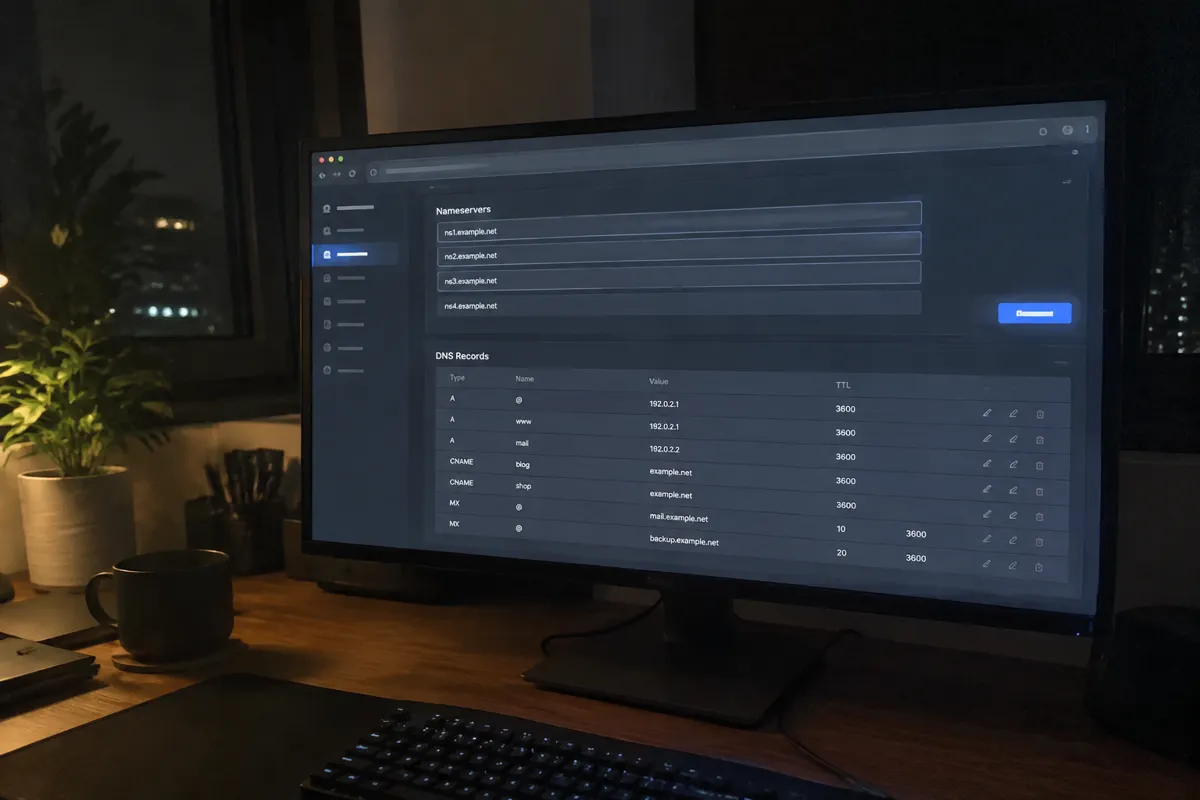
Why Domains Have Multiple Nameservers
Every domain is typically assigned at least two nameservers, sometimes more, for redundancy. If one nameserver becomes unreachable due to an outage or maintenance, the others can still answer DNS queries for the domain. This keeps the site’s address resolvable even during a partial failure. This redundancy is a deliberate design choice built into the DNS system from the start, not an optional extra a domain owner has to configure separately.
Related Terms
DNS
The overall system that nameservers are a functioning part of.
A record
A specific type of DNS record a nameserver holds and returns when queried.

Registrar
The company where a domain is registered and where nameserver settings are typically first configured.
Domains & DNS
The broader guide covering the full relationship between domains, nameservers, and hosting.
A Concrete Example
A small business migrates its website to a new hosting provider that offers its own free DNS management. To make the switch, the business owner logs into their domain registrar’s control panel. They replace the domain’s existing nameservers with the two nameservers the new hosting provider supplied, something like ns1.newhost.com and ns2.newhost.com. Once that change propagates across the internet, the new hosting provider’s nameservers become the authoritative source for all of that domain’s DNS records. Any future changes to email routing, subdomains, or the site’s IP address now need to be made through the new provider’s DNS panel, not the old one.

Common Misconception
A common misunderstanding is assuming changing nameservers instantly moves a website or its email to a new location. Changing nameservers only changes which servers are authoritative for answering DNS queries about the domain. It takes effect once that change propagates, which can take time, and it does nothing on its own to move actual hosting files or mailboxes. That migration has to happen separately. Another frequent mix-up is treating “nameserver” and “DNS record” as the same thing. A nameserver is the server holding the records; the records themselves (A, CNAME, MX, and so on) are the actual instructions it answers with.
FAQ
How many nameservers does a domain need? Most registrars require at least two for redundancy, and some providers supply more. There’s no strict maximum, though most setups use two to four.
What happens if I change my domain’s nameservers incorrectly? The domain may stop resolving correctly. The website and any associated email become unreachable until the nameserver settings are corrected and have time to propagate.
Can I use different nameservers for my website and my email? Not directly — nameservers control the domain as a whole. However, the records those nameservers hold can point website traffic and email traffic to entirely different servers.
Do I need to touch nameservers if I’m not switching hosting providers? No. Nameserver settings typically only need to change when moving DNS management to a new provider, such as during a hosting migration.