What Is DNS?

Infrastructure Editor
Disclosure: Some links on this page are affiliate links — if you sign up through one, we may earn a commission at no extra cost to you. It never changes our ratings, rankings or verdicts: we don't sell hosting and take no pay-for-placement.
Who it's for
- First-time website owners
- Small business owners pointing a domain to a new host
- Students learning internet infrastructure
By Marcus Feld, Infrastructure Editor (former data-center systems engineer)
What Is DNS? A Plain Definition
DNS is short for the Domain Name System. It translates human-readable domain names, like example.com, into numeric IP addresses. Computers use those numeric addresses to locate and connect to each other on the internet. Every time a domain name is typed into a browser, DNS stands between that name and the server it actually needs to reach.
Domain Name System: The Phone Book Analogy
The domain name system works like an old-fashioned phone book. It is closer, really, to a contact list saved on a phone. Nobody memorizes their friends’ actual phone numbers anymore. A name is saved, and the phone looks up the number behind the scenes when a call is placed. DNS does the exact same job for the internet. People remember and type domain names. DNS quietly looks up the numeric address behind each one every time a request is made. The user never sees the number itself.
How DNS Works: DNS Server Roles
How DNS works comes down to several specialized DNS server types, each with a distinct job. A DNS resolver is the first stop for any lookup, usually run by an ISP. It receives the request and does the actual chasing-down of an answer. Root servers sit above that. They point the resolver toward the right servers for a domain’s extension, like .com. A nameserver is the final DNS server in the chain. It holds and answers DNS queries for one specific domain, returning that domain’s actual DNS records.
How DNS Connects to Hosting
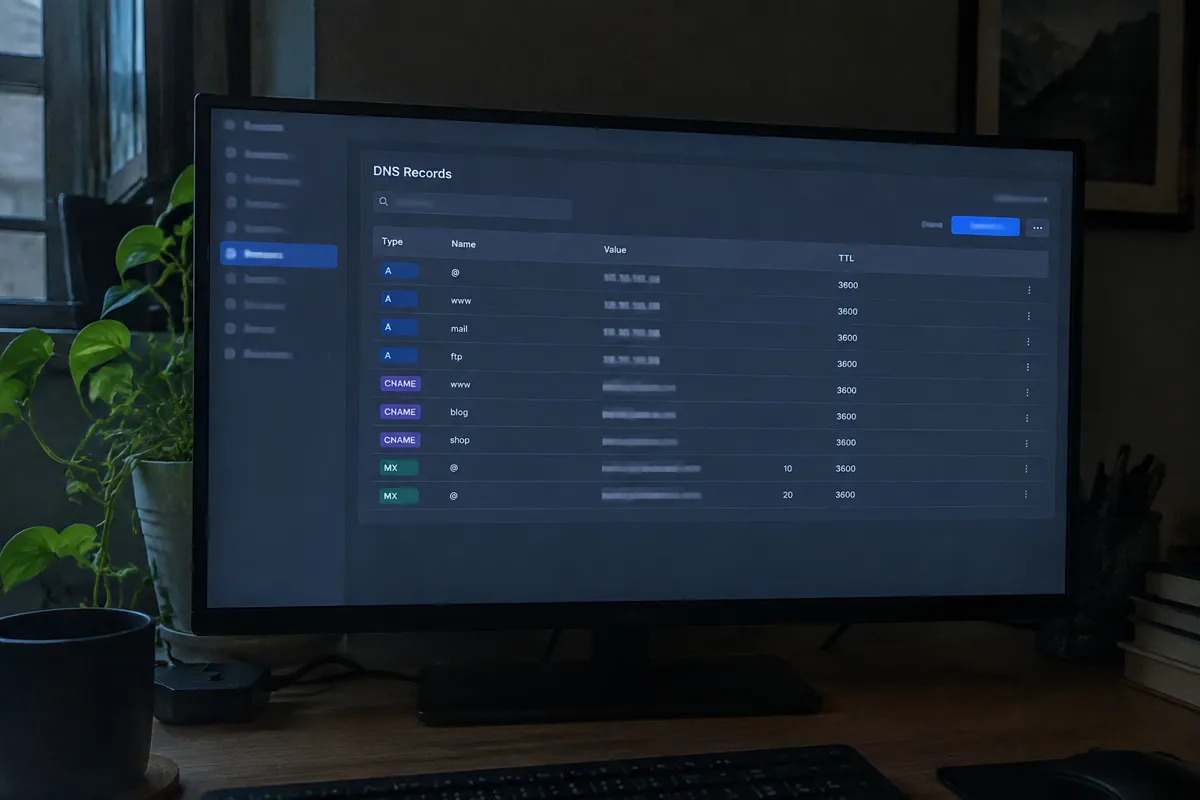
DNS is the mechanism that links a domain name to a specific hosting account. When someone buys hosting, the provider assigns their server an IP address. To make a domain name point at that server, the domain’s DNS settings need to include a record. Most often that record is an A record. It maps the domain to that specific IP address. Get this step wrong, and a working hosting account and a registered domain name will still fail to connect. Visitors typing the domain will see an error instead of the website. This exact task is walked through step by step in pointing a domain to hosting.
DNS Lookup: Step by Step
A DNS lookup, sometimes called DNS resolution, happens in stages. It moves through a chain of specialized servers rather than a single lookup table:
- A browser asks a recursive DNS resolver (often run by an ISP) to resolve a domain.
- The resolver checks root servers to find out which servers manage that domain’s top-level extension (like
.com). - It then asks the nameservers responsible for that specific domain, which hold the domain’s actual DNS records.
- Those nameservers return the relevant record — typically an IP address — and the browser uses it to connect to the destination server.
This whole chain usually resolves in a fraction of a second. Results are often cached temporarily by the browser or device. That caching avoids repeating the lookup on every visit. Bodies like ICANN oversee the top-level structure that makes this chain possible, while operators like Cloudflare and Google Public DNS run some of the world’s busiest recursive resolvers. The whole system runs on top of TCP/IP, the underlying protocol suite that lets any two connected devices exchange data once an address is known.
DNS Records, DNS Propagation, and DNS Servers
Changes made to a domain’s DNS settings don’t take effect everywhere instantly. DNS results get cached at many points across the internet. Because of that caching, DNS propagation can take anywhere from minutes to around 48 hours to fully spread. This process is explained in detail in DNS propagation. DNS also supports several distinct DNS records beyond the basic address record. Each one handles a different job: routing email, verifying domain ownership, or aliasing one domain to another. The full reference for these is covered in DNS record types.
A Record
The most common DNS record type. It maps a domain directly to an IP address.

CNAME Record
A DNS record that points one domain or subdomain to another hostname instead of directly to an IP address. It is often used for subdomains like www, so the alias always follows wherever the target hostname currently resolves.
Related Terms
Nameserver
A server that holds and answers DNS queries for a specific domain.
Domains & DNS
The broader guide covering registration, propagation, and record management together.
A record
The most common DNS record type, mapping a domain directly to an IP address.

TTL (time to live)
A setting that controls how long a DNS record stays cached before it’s re-checked.
A Concrete Example
A business owner buys the domain craftedgoods.co from a registrar. She signs up separately for hosting with a different company. To connect them, she logs into her domain’s DNS management panel. She adds an A record pointing craftedgoods.co to the IP address her hosting provider gave her. Within a few hours, that change spreads across the internet’s DNS infrastructure. Visitors typing craftedgoods.co start being routed to her new hosting account’s server instead of an old placeholder page. Before that DNS change fully propagates, some visitors might still briefly see the old destination. That depends on what’s cached by their specific internet provider.
Common Misconception
A frequent misunderstanding is expecting DNS changes to take effect instantly. People then assume something is broken. That happens when a domain still points to the wrong place an hour after an update. Propagation delay is normal and expected. It is not a sign of an error. Full details on why this happens, and how long to expect it, are covered in DNS propagation. Another common mix-up is confusing DNS with hosting itself. DNS doesn’t store any website files. It only stores the instructions pointing to where those files live. A domain can have perfectly correct DNS settings and still show an error. That happens if the hosting server it points to is down or misconfigured.
FAQ
Who controls a domain’s DNS settings? Usually whoever manages the domain — either the domain registrar or a separate DNS management service. Many hosting providers also offer DNS management as part of a hosting plan, but the domain owner decides which nameservers the domain actually uses.
Is DNS the same as a nameserver? No. DNS is the overall system; a nameserver is one specific type of server within that system, responsible for holding and answering queries about a particular domain’s records.
Why does a website sometimes work for one person but not another right after a DNS change? This is a normal side effect of propagation. Different internet providers and devices refresh their cached DNS results at different times, so it’s expected for changes to reach some visitors before others.
Do I need to touch DNS if I never switch hosting providers? Not usually. DNS settings are typically configured once, when a domain is first pointed at a hosting account. They only need revisiting when switching hosts, adding a subdomain, or setting up email or other services tied to the domain.