PHP Version & Website Performance

Infrastructure Editor
Disclosure: Some links on this page are affiliate links — if you sign up through one, we may earn a commission at no extra cost to you. It never changes our ratings, rankings or verdicts: we don't sell hosting and take no pay-for-placement.
Who it's for
- WordPress site owners
- Developers
- Agencies managing client hosting
- PHP application owners
By Marcus Feld, Infrastructure Editor
Why PHP Version Affects Speed
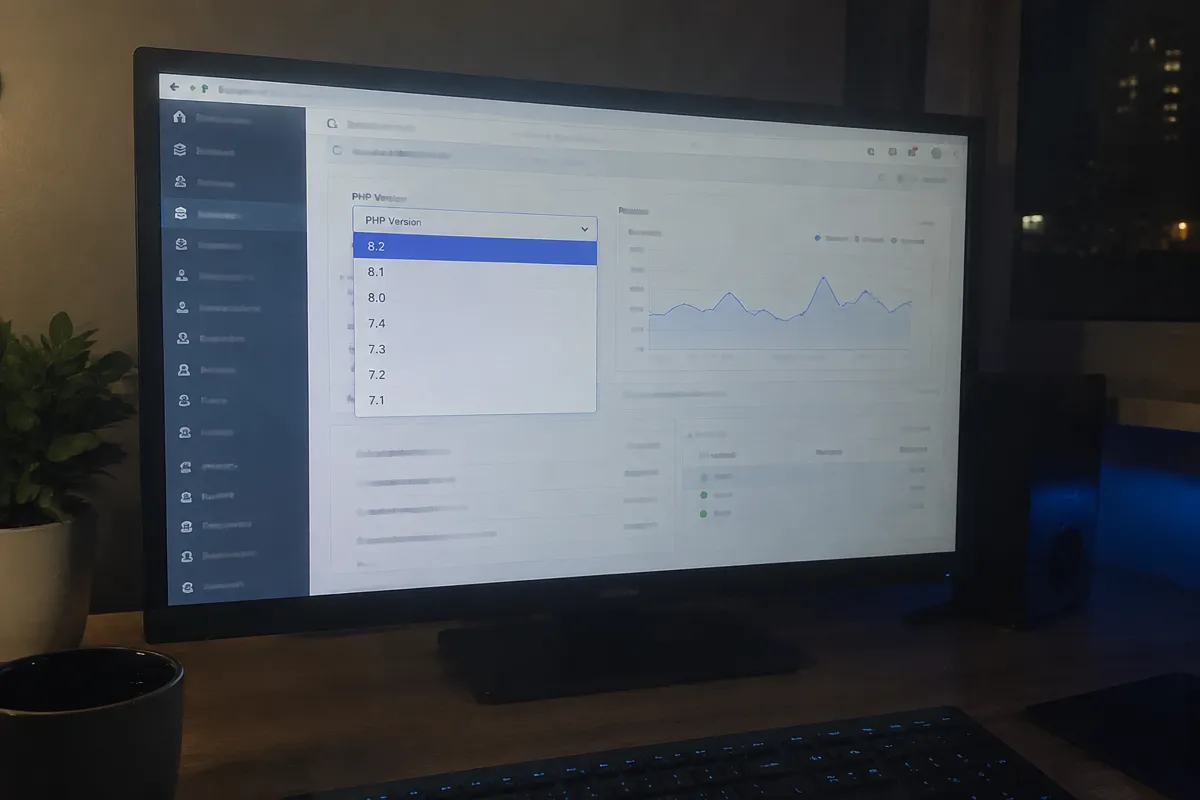
PHP is the server-side language behind WordPress and a large share of the web’s dynamic sites. Each major PHP release has historically included real execution-speed improvements in how the language processes and runs code. These gains are independent of anything the site owner changes in their own application. Running an old PHP version means leaving those improvements unclaimed for no reason other than not having changed a setting. Most hosts let you switch PHP versions from a control panel without touching a line of site code.
Measured Performance Differences Between Versions
Publicly benchmarked comparisons, notably from the WordPress performance testing community, have consistently shown each PHP major version handling more requests per second than its predecessor on identical hardware. The jump from PHP 5.x to 7.x was the largest single leap, roughly doubling requests-per-second for typical WordPress workloads. Every version since has continued delivering smaller, real gains. Running a current supported version instead of one several majors behind can mean the difference of tens of percent in raw execution speed on identical hosting, before touching any other optimization.
OPcache: The Setting That Multiplies the Gain
OPcache stores precompiled PHP script bytecode in memory, so the server doesn’t have to re-parse and recompile PHP files on every single request. It’s bundled with PHP and enabled by default on current versions. It’s still worth explicitly confirming it’s active, since some hosting configurations disable it or leave it misconfigured. OPcache alone commonly cuts PHP execution time by 30–50% compared to running without it. That’s layered on top of whatever the version upgrade itself delivers.
Checking and Upgrading Your PHP Version
- Check the current PHP version — most control panels display this directly, or a simple
phpinfo()script confirms it for a custom setup. - Confirm the site’s plugins, themes, or application code support the target version — check plugin changelogs or run a staging-environment test before upgrading production.
- Create a full backup before switching versions, following how to back up a website, since an incompatible plugin can break functionality on an unexpected upgrade.
- Switch the version via the hosting control panel — this is typically a dropdown setting, not a reinstall.
- Test the site thoroughly on the new version before considering the upgrade complete, checking forms, checkout flows, and admin functionality specifically.
- Confirm OPcache is enabled in the new version’s configuration if it isn’t on by default.
Security Is the Other Half of This
PHP versions have a defined end-of-life date, after which they stop receiving security patches entirely. Running an end-of-life version isn’t just a missed performance opportunity. It’s an active security liability, since any newly discovered vulnerability in that version will never be patched. This makes PHP version one of the rare settings that’s simultaneously a performance and a security requirement, not a trade-off between the two.
Where This Fits in the Speed Stack
PHP version and OPcache both feed directly into server response time. See reduce server response time (TTFB) for how this layer connects to the broader speed picture. See how to speed up a website for the full five-layer breakdown PHP performance sits within. If PHP execution speed is a recurring concern, it’s also worth reviewing database query efficiency alongside it, since the two commonly compound each other. See database optimization for websites for that layer.

If you’re choosing hosting specifically for a PHP-heavy application, best PHP hosting covers what separates hosting that keeps current PHP versions well-supported from generic hosting that lags behind.
PHP Version Performance: FAQ
How much faster is a current PHP version than an old one? Benchmarks vary by workload. Tens of percent in raw execution speed is a realistic expectation moving from a version several majors behind to a current, supported one, before any other optimization.
Will upgrading PHP break my site? It can, if a plugin, theme, or custom code relies on deprecated functionality removed in the newer version. Testing on staging before upgrading production, and checking plugin compatibility first, avoids this.
How do I know if my PHP version is end-of-life? Check the official PHP.net supported-versions page against your current version. Most hosts also flag end-of-life versions in the control panel where you manage the setting.
Does upgrading PHP require a developer? Not usually — the version switch itself is typically a control-panel setting. Compatibility testing afterward may need developer help if the site uses custom or heavily modified code.
Is OPcache the same thing as page caching? No. OPcache caches compiled PHP bytecode so scripts execute faster; page caching stores a fully rendered page so the script doesn’t need to run again at all. See website caching explained for how the caching layers differ.