Dedicated vs Cloud Hosting

Infrastructure Editor
Disclosure: Some links on this page are affiliate links — if you sign up through one, we may earn a commission at no extra cost to you. It never changes our ratings, rankings or verdicts: we don't sell hosting and take no pay-for-placement.
Who it's for
- High-traffic, steady-load sites
- Apps with variable or seasonal demand
- Compliance-driven workloads
- Enterprises weighing fixed cost vs elasticity
Dedicated vs cloud hosting is a decision between two hosting types built for demanding workloads that solve the resource question in opposite ways. Dedicated hosting rents you one entire physical server with fixed hardware and no virtualization overhead. Cloud hosting draws from a distributed, elastic pool of virtual compute that can scale automatically across multiple physical machines. Both can handle serious traffic. The difference is whether your traffic is predictable enough to make a fixed allocation the smarter bet.
Dedicated vs Cloud Hosting: Fixed Hardware vs Elastic Pool
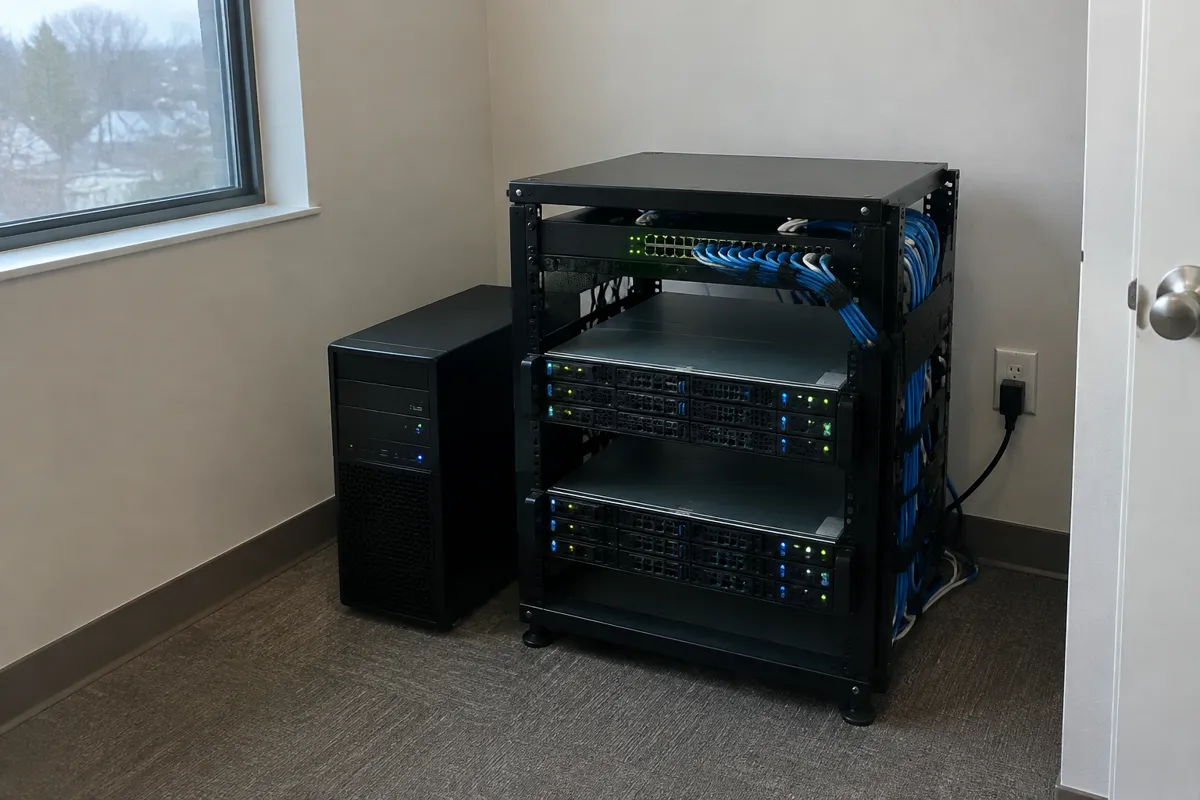
A dedicated server is exactly what it sounds like: one physical machine, every core and gigabyte reserved exclusively for you, with no hypervisor layer sitting between your workload and the hardware. Cloud hosting virtualizes and pools compute across a fleet of physical servers (see server virtualization). This lets a workload draw more resources on demand or shift between physical hosts without customer intervention. Dedicated gives you the whole machine; cloud gives you access to as much of the pool as you need, when you need it.

Dedicated vs Cloud: Price and Performance Delta
| Factor | Dedicated Hosting | Cloud Hosting |
|---|---|---|
| Billing model | Flat monthly rate | Usage-metered (compute, storage, bandwidth) |
| Typical price | $80–$500+/month | $10–$1,000+/month, scales with usage |
| Performance ceiling | Fixed by physical hardware, no virtualization overhead | Elastic, can expand automatically |
| Cost predictability | High | Lower — usage spikes affect the bill |
| Redundancy | None built in (single machine) | Built in across hardware/data centers |
| Resource scaling | Requires new hardware provisioning | Often automatic (autoscaling) |
| Best for | Steady, predictable, resource-heavy workloads | Variable, growing, or spike-prone workloads |
Dedicated vs Cloud Hosting: Reliability and Control Delta
A dedicated server’s reliability depends entirely on that one machine. There’s no automatic failover unless you build and pay for redundant hardware yourself. Cloud hosting’s architecture assumes hardware will occasionally fail and routes around it automatically, shifting workloads to healthy infrastructure. On control, both offer root/administrator access and full configuration freedom at the OS level. But dedicated hosting gives you direct access to real hardware with zero abstraction. That matters for workloads with strict compliance or performance-consistency requirements that virtualization overhead — even minimal — can complicate.
Dedicated vs Cloud Hosting: Choose Dedicated If / Choose Cloud If
Choose dedicated hosting if:
- Your traffic and resource usage are steady and predictable
- You need the maximum possible performance consistency with zero virtualization overhead
- You have compliance requirements mandating exclusive, non-shared hardware
- Budget predictability (a flat bill) matters more than elasticity
Choose cloud hosting if:
- Your traffic is variable, seasonal, or growing unpredictably
- You need built-in redundancy across hardware or geographic regions
- You want to scale resources automatically rather than provisioning new hardware
- Usage-based billing is an acceptable trade-off for not overpaying for idle capacity
Migration Path: Dedicated to Cloud
Moving from a dedicated server to cloud hosting means going from a single fixed environment to a potentially distributed, load-balanced one. So the migration involves an architecture decision as well as a data move. Back up files and databases. Decide whether the cloud deployment will be a single large instance or a load-balanced multi-instance setup. Provision and configure accordingly. Migrate and test. Then cut DNS over — see how to migrate a website for the general checklist, and zero-downtime website migration for minimizing cutover impact on a high-traffic site.
FAQ
Is dedicated hosting faster than cloud hosting? For sustained, steady workloads, dedicated hardware’s lack of virtualization overhead typically gives it an edge. For workloads with unpredictable spikes, cloud’s ability to add capacity on demand often produces better real-world performance than a fixed dedicated allocation being pushed past its ceiling.
Is cloud hosting more reliable than a single dedicated server? In terms of built-in redundancy, yes — cloud infrastructure is designed to route around hardware failure automatically. A single dedicated server has no such failover unless you build one, though a well-maintained dedicated server is still highly reliable for most use cases.
Can I combine dedicated and cloud hosting? Yes — hybrid setups are common, using dedicated hardware for steady baseline load and cloud instances to absorb traffic spikes. This adds architectural complexity but captures both types’ strengths.
Which is more expensive at scale, dedicated or cloud? It depends entirely on usage pattern. For consistently heavy, steady traffic, dedicated’s flat rate is often cheaper than cloud’s usage-based billing at the same resource level. For variable traffic, cloud avoids paying for peak capacity around the clock.
See the full type breakdowns at dedicated hosting and cloud hosting, or browse all hosting comparisons.