Dedicated Server Hosting

Infrastructure Editor
Disclosure: Some links on this page are affiliate links — if you sign up through one, we may earn a commission at no extra cost to you. It never changes our ratings, rankings or verdicts: we don't sell hosting and take no pay-for-placement.
Why choose this
Choose dedicated when you need an entire machine's performance, hardware-level control, or isolation for compliance — and you have the ops capability to run it.
Who it's for
- High-traffic websites
- Compliance-sensitive businesses
- Enterprises
- Specialized hardware workloads
Benefits
Maximum performance
All CPU, RAM and disk I/O of the machine is yours alone.
Total control
Hardware, OS, kernel and network configured to your spec.
Isolation
No other tenants — useful for security and compliance.
Features at a glance
- Single-tenant hardwareThe whole machine is yours
- Hardware controlRAID, custom kernels
- Root / IPMI accessOS and out-of-band control
- Any OS / stackNo virtualisation limits
- Compliance isolationNo shared neighbours
- Managed optionAdd-on for full ops cover
Our take
Our take: most sites never need dedicated — a well-specced VPS or cloud instance covers them. Reach for a dedicated box when you have steady, heavy load (large databases, high concurrency) or a compliance reason to isolate hardware. If your traffic is spiky, cloud scales more economically.
Infrastructure Editor
What sets it apart
- An entire physical machine vs a virtual slice.
- Hardware-level control (RAID, custom kernels) vs virtualised limits.
- Fixed capacity — you scale by adding servers, not sliders.
Strengths & weaknesses
Unmatched for steady heavy load and isolation; overkill and costly for everything else.
Strengths
- Highest sustained performance
- Full hardware/OS control
- Single-tenant isolation
- Predictable, steady capacity
Weaknesses
- Most expensive option
- Serious sysadmin required
- Slower to provision/scale
- You own hardware failure planning
Best for — by workload
- High-traffic appsIdeal
- Large databasesIdeal
- Compliance-isolatedIdeal
- Spiky/variable traffic— cloud usually cheaper for spikesWorkable
- Small sites— vastly overprovisionedAvoid
System & compatibility
- Operating system
- Linux, Windows
- Control panel
- cPanel, Plesk, None (self-managed)
- Runtimes / stack
- Any — full OS control
- One-click installers
- No
- Root / SSH access
- Yes
How it compares
| Option | Price band | Performance | Control | Ease of use | Best for |
|---|---|---|---|---|---|
| VPS | $$ | High | Root | Medium | Growing sites |
| Dedicated | $$$ | Highest | Full | Low | Heavy, steady load |
| Cloud | $$–$$$ | High | Root | Medium | Variable traffic |
- Performance95/100
- Control95/100
- Ease of use30/100
Recommended hosts
Recommended web hosts to choose from
Ranked by verified Trustpilot rating. Pick one to visit, or read the full review first — the order never changes for payment.
How this is ranked.Ranked by independently verified Trustpilot ratings, checked as of Oct 2026. We don't sell hosting and take no placement fees.
Disclosure. Some links below may be affiliate links — if you sign up through them we may earn a commission at no extra cost to you. It never affects the order. Intro prices are promotional; check the renewal price at checkout.

A2 Hosting (now Hosting.com)
From $3.99/mo
renews higher (~$10.99/mo)
Trustpilot · 7,180 reviews · as of 2026-10-01
A2 Hosting (now Hosting.com) is a speed-focused, developer-friendly host with a strong 4.8/5 across 6,833 Trustpilot reviews. Its standouts are a genuine performance edge on LiteSpeed/NVMe "Turbo" plans and an anytime money-back guarantee. The trade-offs are that the headline speed needs the pricier Turbo tier, renewal multiples are steep, and the A2-to-Hosting.com rebrand may cause some confusion.
Hosting types
Key services
- "Turbo" LiteSpeed and NVMe speed-focused plans
- Anytime money-back guarantee
- Free site migration
- Choice of global data centres
TMDHosting
From $2.99/mo
renews sharply higher; best value needs a 36-month commitment
Trustpilot · 1,749 reviews · as of 2026-10-01
TMDHosting is a friendly budget-to-mid host for small businesses and WordPress/WooCommerce owners wanting well-supported, affordable shared/cloud hosting, rating 4.8/5 across 1,684 Trustpilot reviews. Its strengths are responsive support, a low-risk 60-day money-back window and a full feature set with global data centres. The trade-offs are low intro rates that rise sharply at renewal (best value needs a 36-month term) and middling third-party performance scores (~78%).
Hosting types
Key services
- Strong, fast support reputation
- Generous 60-day money-back guarantee on shared/cloud
- Free migration, daily backups, free SSL and cPanel
- Multiple worldwide data-center locations
FastComet
From $1.79/mo
renews sharply higher (~$8.95/mo Starter); lock a 3-year term to defer
Trustpilot · 3,967 reviews · as of 2026-10-01
FastComet is a beginner-friendly host for small businesses wanting a feature-rich, well-supported shared/cloud host with global data centres, rating 4.7/5 across a solid 3,790-review Trustpilot base. Its strengths are a long-standing support reputation and generous freebies — daily backups, SSL and Cloudflare CDN — bundled into cheap plans. The trade-offs are a steep intro-to-renewal jump (to about $8.95/mo Starter) and some user caution after the WorldHostGroup ownership change.
Hosting types
Key services
- Free daily backups, free SSL and free Cloudflare CDN on all plans
- Free website migration
- Imunify360 security and proactive support
- 45-day money-back guarantee

IONOS
From $4/mo
renews roughly double intro (~$8/mo)
Trustpilot · 45,211 reviews · as of 2026-10-01
IONOS is a value-driven host for small businesses wanting cheap, feature-loaded hosting with a free first-year domain, rating 4.6/5 across a large 44,340-review Trustpilot base. Its strengths are aggressive entry pricing, a 99.99% uptime guarantee and responsive support that engages heavily with reviews. The trade-offs are a US (.com) experience historically rated below its EU/UK listings, a renewal that roughly doubles intro (to about $8/mo), and an upsell-heavy checkout.
Hosting types
Key services
- Very low intro pricing plus free domain for 1 year
- 99.99% uptime guarantee
- NVMe SSD and geo-redundant infrastructure
- Daily backups and DDoS protection

HostGator
From $3.75/mo
renews much higher (~$9.99–$10.99/mo)
Trustpilot · 17,900 reviews · as of 2026-10-01
HostGator is a long-standing budget host for absolute beginners and simple brochure sites, holding 4.6/5 across 17,657 Trustpilot reviews. Its appeal is cheap, simple hosting with unmetered bandwidth and a generous 45-day money-back window. The cautions are large renewal increases, checkout upsells, and performance and uptime that some independent tests have criticised.
Hosting types
Key services
- Beginner-friendly setup
- Unmetered bandwidth
- Free domain for the first year on some terms
- 45-day money-back guarantee

DreamHost
From $2.89/mo
renews higher (~$10.99/mo shared)
Trustpilot · 8,225 reviews · as of 2026-10-01
DreamHost is a privacy-focused, independently-owned host that suits WordPress sites wanting flexible billing, rating 4.6/5 across 8,145 Trustpilot reviews. Its standouts are the industry-longest 97-day money-back guarantee and an unusual month-to-month billing option, plus a WordPress.org recommendation. The trade-offs are a custom control panel (no cPanel) with a learning curve, no live phone support by default, and renewal rates that rise sharply from intro.
Hosting types
Key services
- Month-to-month billing option available (unusual)
- Industry-longest 97-day money-back guarantee
- Free domain and privacy
- Custom in-house control panel
Dedicated server hosting gives one customer sole use of an entire physical machine. There’s no hypervisor and no virtual layer. No other tenant shares that hardware. It’s the highest-performance, highest-control tier in the standard types of web hosting taxonomy. It’s also the tier where cost and operational responsibility rise the fastest.
What Is Dedicated Hosting
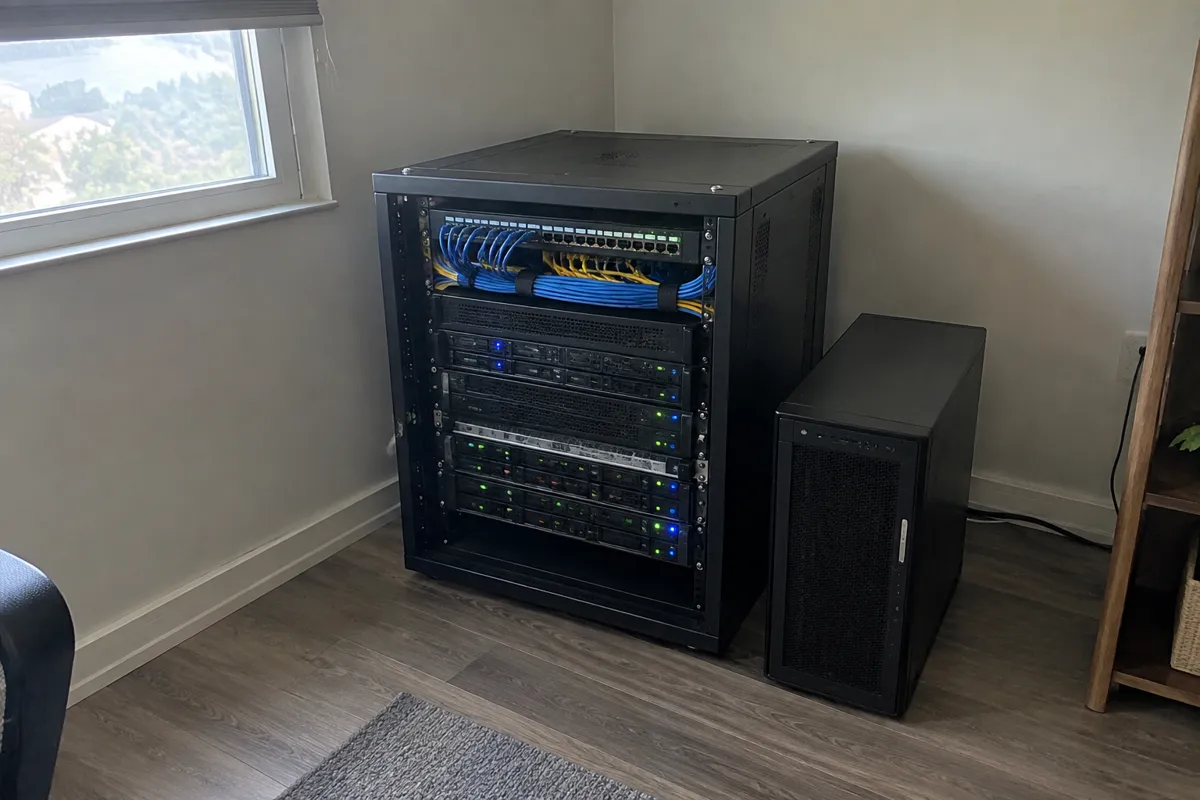
Dedicated server hosting is exactly what the name says. It’s a single physical server, entirely dedicated to one customer’s workload. Every CPU core, every gigabyte of RAM, every drive, and the full network connection belongs to that one account. Nothing about the hardware is shared with any other customer of the provider. This is also called bare metal hosting. The customer’s software runs directly on the hardware. Nothing is virtualized underneath.
How Dedicated Server Hosting Works
A hosting provider racks a physical server in a data center. It hands over full control. That server is chosen or configured to the customer’s spec. Depending on the plan, that control might be full root access via SSH to a bare metal machine. Or it might route through a management layer if the plan includes provider administration. There’s no hypervisor sitting between the customer and the hardware. The operating system installed on the machine talks directly to the physical CPU, RAM, and storage. That OS is commonly Linux. Sometimes it’s Windows Server, for specific application needs. This is the key structural difference from VPS hosting. There, a hypervisor mediates access to a shared physical host.
Dedicated Resources and Full Root Access
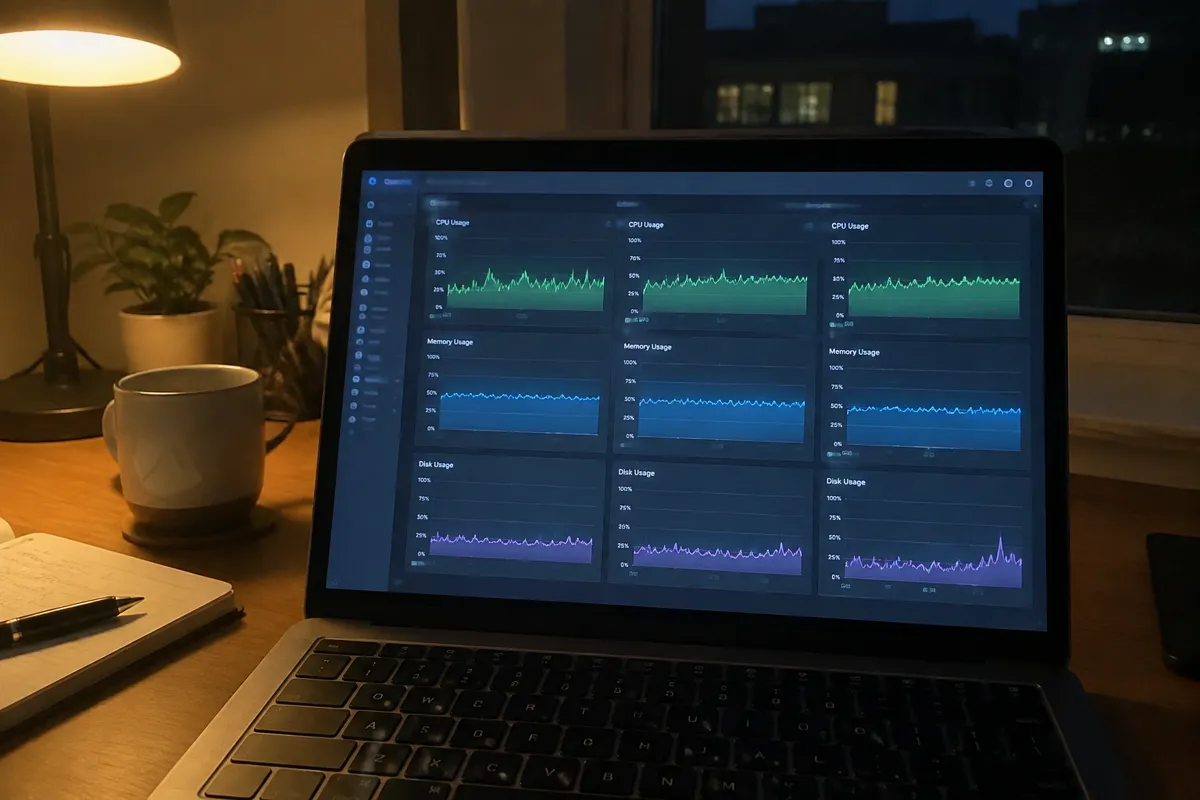
Isolation here is complete and physical, not virtual. There is no “noisy neighbor” risk, because there are no neighbors on that machine. All of the CPU, RAM, storage, and network bandwidth is available to the one tenant, all the time. That holds no matter what any other customer of the provider is doing elsewhere in the data center. Most dedicated plans now ship with NVMe or SSD storage as standard, not spinning disks. They’re often set up in RAID for redundancy. RAM and CPU specs are typically far higher than the top of the VPS tier. Processors from the Intel Xeon or AMD EPYC lines are the norm at this tier.
Full root access is standard on unmanaged dedicated plans. The customer manages the operating system and kernel-level settings on their own. They also manage hardware-level tools, like IPMI for out-of-band remote management.
Dedicated Server Price
Dedicated servers start around $100 a month for entry-level specs. They climb past $500 a month for high-core-count, high-RAM, or specialty-hardware builds. That includes GPUs, large memory pools, and high-frequency storage arrays. This is the widest price range of any core hosting type. The dedicated server price is driven almost entirely by the physical hardware spec chosen. Software and service tiers barely factor in.
Dedicated Server Performance
The performance ceiling on dedicated hosting is the highest available at the single-machine level. Nothing else competes for that hardware’s resources. So dedicated server performance is consistent and predictable at whatever level the hardware allows. That ceiling is fixed, though. A dedicated server can’t burst beyond its installed hardware. A cloud instance can burst into a wider resource pool; a dedicated server can’t. It’s a high, flat ceiling rather than an elastic one.
Who Dedicated Server Hosting Suits
Dedicated hosting suits high-traffic websites. Consistent performance under heavy, sustained load matters more than burst-scaling for these sites. It also suits compliance-sensitive applications, in finance, healthcare, or other regulated sectors. There, physical data isolation from other tenants is a genuine requirement, not just a preference. It also suits workloads with specific hardware needs a standard VPS or shared plan can’t meet. GPU-accelerated processing is one common example. Applications that need large, uninterrupted RAM allocations are another. See best hosting for high-traffic websites for how dedicated hosting compares to cloud alternatives for that specific use case.
Dedicated Server Hosting Limitations
Scalability is the clear weak point. Capacity is fixed by the hardware purchased at setup. There’s no instant resize, the way there is with a VPS or a cloud instance. Growing beyond a dedicated server’s capacity means provisioning new, bigger hardware. Then migrating to it, which takes real time and planning. Managing the machine’s OS, security patching, and software stack is typically the customer’s job. That’s unless the plan is explicitly bundled with managed dedicated hosting. Going fully unmanaged on dedicated hardware requires real systems-administration skill in-house.
Managed Dedicated Hosting
Managed dedicated hosting is a plan where the provider actively handles OS patching and security monitoring. Often performance tuning too, on the customer’s behalf. It costs more than unmanaged dedicated hosting. But it removes most of the day-to-day admin burden of owning full root access on bare metal. See managed hosting for how this tier compares across hosting types generally.

Dedicated vs Cloud Hosting
There isn’t really an “upgrade” from dedicated hosting, in the same sense as moving from shared to VPS. Dedicated is already the top of the fixed-hardware tier. The two adjacent moves are lateral, not upward. One is colocation, where the customer owns the hardware outright instead of renting it. See colocation vs dedicated hosting for that trade-off. The other is a shift to cloud hosting, for workloads that need elastic scaling rather than a bigger fixed machine. The dedicated vs cloud hosting decision usually comes down to one thing: is traffic steady or unpredictable? Server location also matters more at this tier than at lower tiers. A dedicated machine’s physical placement fixes the latency profile for every user. See server location & data centers.
FAQ
Is dedicated hosting overkill for a small business website? For most small business sites, yes. The performance and isolation dedicated hosting offers only matter at meaningful traffic volume. Or under a specific compliance requirement. A brochure site or small e-commerce store is usually better served on shared, VPS, or managed hosting. It’s also far cheaper.
Do I need technical staff to run a dedicated server? On an unmanaged plan, yes. Someone needs to handle OS patching, security configuration, and software maintenance. Managed dedicated plans shift most of that responsibility to the provider. That comes at a higher monthly cost.
Is dedicated hosting the only option for compliance requirements? Not always. But it’s the most common answer when a compliance framework specifically requires physical isolation of hardware from other tenants. Some cloud providers offer dedicated-instance options. These satisfy similar requirements without a fully standalone physical machine.
What’s the real difference between dedicated hosting and colocation? On dedicated hosting, the provider owns the hardware and rents it to you. On colocation, you own the hardware. You pay the data center only for space, power, and connectivity. Colocation gives more hardware flexibility. But it requires upfront capital and the ability to maintain or replace physical equipment.
For the full type comparison this page sits inside, see types of web hosting. For the direct scale-up decision from a smaller tier, see VPS vs dedicated hosting.
Recommended hosts
Compare the top web hosts
The same shortlist, condensed — now that you know what to look for, here is where to look.
How this is ranked.Ranked by independently verified Trustpilot ratings, checked as of Oct 2026. We don't sell hosting and take no placement fees.
Disclosure. Some links below may be affiliate links — if you sign up through them we may earn a commission at no extra cost to you. It never affects the order. Intro prices are promotional; check the renewal price at checkout.
1.A2 Hosting (now Hosting.com)
Trustpilot · 7,180 reviews · as of 2026-10-01
From $3.99/mo · renews higher (~$10.99/mo)
2.TMDHosting
Trustpilot · 1,749 reviews · as of 2026-10-01
From $2.99/mo · renews sharply higher; best value needs a 36-month commitment
3.FastComet
Trustpilot · 3,967 reviews · as of 2026-10-01
From $1.79/mo · renews sharply higher (~$8.95/mo Starter); lock a 3-year term to defer
4.IONOS
Trustpilot · 45,211 reviews · as of 2026-10-01
From $4/mo · renews roughly double intro (~$8/mo)
5.HostGator
Trustpilot · 17,900 reviews · as of 2026-10-01
From $3.75/mo · renews much higher (~$9.99–$10.99/mo)
6.DreamHost
Trustpilot · 8,225 reviews · as of 2026-10-01
From $2.89/mo · renews higher (~$10.99/mo shared)
Recommended hosts
Ready to choose a web host?
Pick one of these top-rated hosts and get started today, or read its full review first.
How this is ranked.Ranked by independently verified Trustpilot ratings, checked as of Oct 2026. We don't sell hosting and take no placement fees.
Disclosure. Some links below may be affiliate links — if you sign up through them we may earn a commission at no extra cost to you. It never affects the order. Intro prices are promotional; check the renewal price at checkout.
A2 Hosting (now Hosting.com)
From $3.99/mo
renews higher (~$10.99/mo)
Trustpilot · 7,180 reviews · as of 2026-10-01
A2 Hosting (now Hosting.com) is a speed-focused, developer-friendly host with a strong 4.8/5 across 6,833 Trustpilot reviews. Its standouts are a genuine performance edge on LiteSpeed/NVMe "Turbo" plans and an anytime money-back guarantee. The trade-offs are that the headline speed needs the pricier Turbo tier, renewal multiples are steep, and the A2-to-Hosting.com rebrand may cause some confusion.
Hosting types
Key services
- "Turbo" LiteSpeed and NVMe speed-focused plans
- Anytime money-back guarantee
- Free site migration
- Choice of global data centres
TMDHosting
From $2.99/mo
renews sharply higher; best value needs a 36-month commitment
Trustpilot · 1,749 reviews · as of 2026-10-01
TMDHosting is a friendly budget-to-mid host for small businesses and WordPress/WooCommerce owners wanting well-supported, affordable shared/cloud hosting, rating 4.8/5 across 1,684 Trustpilot reviews. Its strengths are responsive support, a low-risk 60-day money-back window and a full feature set with global data centres. The trade-offs are low intro rates that rise sharply at renewal (best value needs a 36-month term) and middling third-party performance scores (~78%).
Hosting types
Key services
- Strong, fast support reputation
- Generous 60-day money-back guarantee on shared/cloud
- Free migration, daily backups, free SSL and cPanel
- Multiple worldwide data-center locations
FastComet
From $1.79/mo
renews sharply higher (~$8.95/mo Starter); lock a 3-year term to defer
Trustpilot · 3,967 reviews · as of 2026-10-01
FastComet is a beginner-friendly host for small businesses wanting a feature-rich, well-supported shared/cloud host with global data centres, rating 4.7/5 across a solid 3,790-review Trustpilot base. Its strengths are a long-standing support reputation and generous freebies — daily backups, SSL and Cloudflare CDN — bundled into cheap plans. The trade-offs are a steep intro-to-renewal jump (to about $8.95/mo Starter) and some user caution after the WorldHostGroup ownership change.
Hosting types
Key services
- Free daily backups, free SSL and free Cloudflare CDN on all plans
- Free website migration
- Imunify360 security and proactive support
- 45-day money-back guarantee
IONOS
From $4/mo
renews roughly double intro (~$8/mo)
Trustpilot · 45,211 reviews · as of 2026-10-01
IONOS is a value-driven host for small businesses wanting cheap, feature-loaded hosting with a free first-year domain, rating 4.6/5 across a large 44,340-review Trustpilot base. Its strengths are aggressive entry pricing, a 99.99% uptime guarantee and responsive support that engages heavily with reviews. The trade-offs are a US (.com) experience historically rated below its EU/UK listings, a renewal that roughly doubles intro (to about $8/mo), and an upsell-heavy checkout.
Hosting types
Key services
- Very low intro pricing plus free domain for 1 year
- 99.99% uptime guarantee
- NVMe SSD and geo-redundant infrastructure
- Daily backups and DDoS protection
HostGator
From $3.75/mo
renews much higher (~$9.99–$10.99/mo)
Trustpilot · 17,900 reviews · as of 2026-10-01
HostGator is a long-standing budget host for absolute beginners and simple brochure sites, holding 4.6/5 across 17,657 Trustpilot reviews. Its appeal is cheap, simple hosting with unmetered bandwidth and a generous 45-day money-back window. The cautions are large renewal increases, checkout upsells, and performance and uptime that some independent tests have criticised.
Hosting types
Key services
- Beginner-friendly setup
- Unmetered bandwidth
- Free domain for the first year on some terms
- 45-day money-back guarantee
DreamHost
From $2.89/mo
renews higher (~$10.99/mo shared)
Trustpilot · 8,225 reviews · as of 2026-10-01
DreamHost is a privacy-focused, independently-owned host that suits WordPress sites wanting flexible billing, rating 4.6/5 across 8,145 Trustpilot reviews. Its standouts are the industry-longest 97-day money-back guarantee and an unusual month-to-month billing option, plus a WordPress.org recommendation. The trade-offs are a custom control panel (no cPanel) with a learning curve, no live phone support by default, and renewal rates that rise sharply from intro.
Hosting types
Key services
- Month-to-month billing option available (unusual)
- Industry-longest 97-day money-back guarantee
- Free domain and privacy
- Custom in-house control panel
Illustrative pricing tiers
Vendor-neutral examples of how plans are usually tiered and priced — to help you judge what to look for. These are typical ranges, not offers. We don't sell hosting.
Standard
Single busy app
$80–150 / motypical
- 8-core CPU
- 32 GB RAM
- 2× SSD RAID
- Full root
Performance
Typical pickHeavy DB / concurrency
$150–300 / motypical
- 16-core CPU
- 64 GB RAM
- NVMe RAID
- IPMI access
Enterprise
Isolated / regulated
$300+ / motypical
- Dual CPU
- 128 GB+ RAM
- Redundant PSU/network
- Custom build