Hosting Storage: SSD vs NVMe vs HDD

Infrastructure Editor
Disclosure: Some links on this page are affiliate links — if you sign up through one, we may earn a commission at no extra cost to you. It never changes our ratings, rankings or verdicts: we don't sell hosting and take no pay-for-placement.
Who it's for
- Site owners choosing storage tier
- E-commerce operators
- Developers running databases
- Agencies comparing host specs
Storage in a hosting context has two separate dimensions that get talked about as one. The first is the quota — how many gigabytes of disk space the account is allocated. The second is the medium — the physical drive technology storing that data, which determines how fast the server can read and write it. HDD, SSD, and NVMe are the three mediums in common use, and the difference between them is one of the largest single levers on server-side speed.
SSD vs NVMe Hosting: What Storage Medium Means
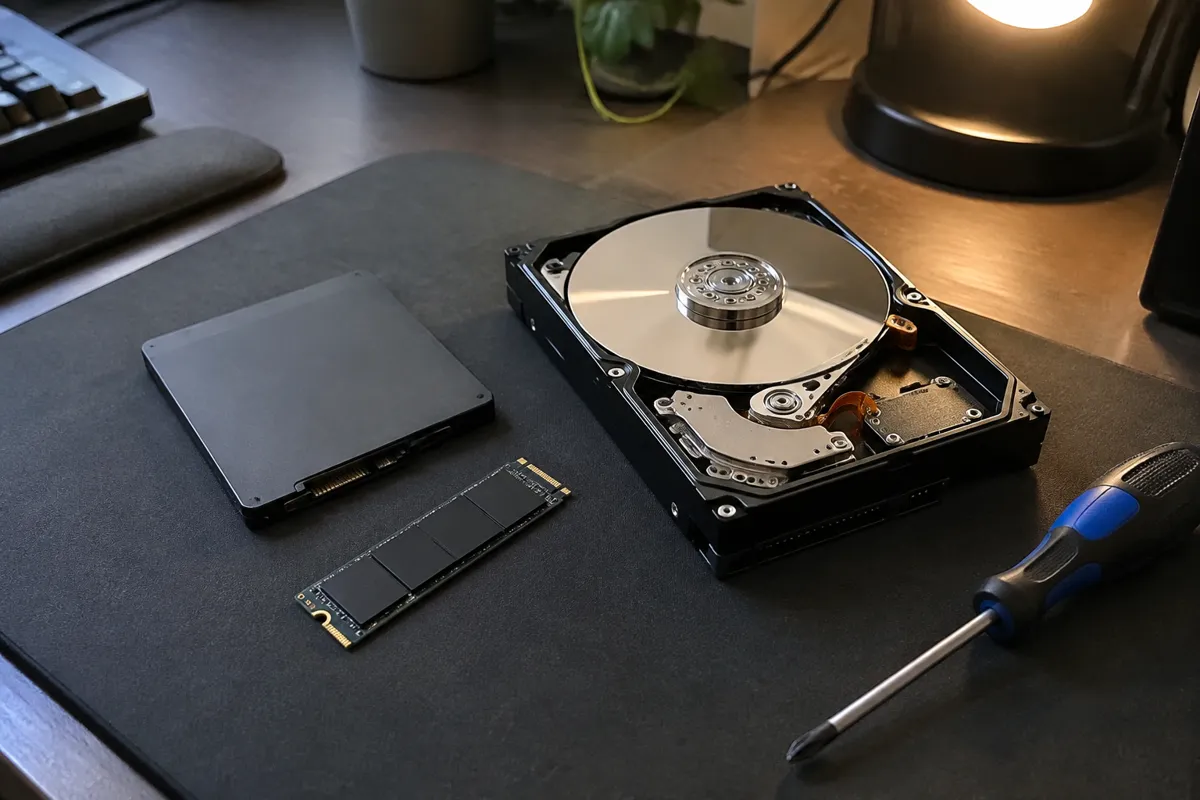
A traditional hard disk drive (HDD) stores data on spinning magnetic platters and reads it with a physical arm. It is mechanically reliable and cheap per gigabyte, but slow, particularly for the kind of small, random reads a website’s database performs constantly. A solid-state drive (SSD) has no moving parts, storing data in flash memory chips instead. This makes it dramatically faster for the random access patterns typical of web hosting workloads. NVMe (Non-Volatile Memory Express) is a newer interface protocol that lets flash storage communicate directly over the PCIe bus rather than through the older SATA interface SSDs traditionally used. The storage chips can be the same flash technology, but NVMe removes a bottleneck in how fast the server can talk to them.

Why Storage Medium Matters
Every dynamic page load involves database reads — WordPress, WooCommerce, and most CMS platforms hit the database dozens of times per page render. The physical speed of the disk holding that database data sets a hard floor on how fast those reads can happen, no matter how well the software is optimized. A slow disk medium caps performance in a way that no amount of caching or code optimization fully compensates for under real traffic load.
How to Evaluate SSD and NVMe Storage on a Plan
Ask specifically which medium the provider uses. Many hosts still advertise “SSD” as a blanket marketing term for anything that isn’t a spinning HDD, without clarifying whether it’s SATA SSD or NVMe. If the provider doesn’t specify, that’s usually a sign it’s the slower SATA SSD tier rather than NVMe. Separately, check the storage quota against actual need. A WordPress site with a modest media library rarely needs more than a few GB, while an e-commerce catalog with thousands of product images can consume tens of GB quickly.
Storage Speed Values and IOPS Benchmarks
| Medium | Typical random read speed | Common use |
|---|---|---|
| HDD | ~100–150 IOPS | Legacy/budget hosting, backups, archival storage |
| SATA SSD | ~10,000–100,000 IOPS | Standard shared/VPS hosting today |
| NVMe | ~300,000–1,000,000+ IOPS | Premium VPS, managed WordPress, high-performance dedicated |
Entry-level shared hosting plans commonly allocate 10–50GB of SSD or NVMe storage. Mid-tier VPS plans start around 25–80GB and scale with price. Dedicated servers routinely offer several hundred GB to multiple TB, often in RAID configurations for redundancy.
How Hosting Types Differ on Storage
Shared hosting has largely standardized on SSD storage, with premium and managed shared tiers increasingly moving to NVMe as the medium’s cost has come down. VPS hosting plans vary more. Budget VPS providers may still use SATA SSD while performance-focused VPS providers lead with NVMe as a selling point. Dedicated hosting offers the most storage flexibility, letting customers spec exact drive configurations and RAID levels, and often mix fast NVMe for the OS/database with larger HDD or SSD pools for bulk storage. Cloud hosting typically abstracts this choice into a storage tier selection — standard vs premium/provisioned-IOPS volumes — rather than naming a specific physical drive.
How Storage Affects Speed, Security, and Cost
The speed impact is the most direct: moving from HDD to SATA SSD to NVMe measurably lowers time-to-first-byte and database query time. This is one of the highest-leverage changes for reducing TTFB on database-driven sites. On security, faster storage indirectly helps by making full backups and restores complete quicker, shrinking the recovery window after an incident. See hosting backups for how storage speed interacts with backup frequency. On cost, NVMe storage carries a real premium per gigabyte over SATA SSD, and a much larger premium over HDD, so providers typically pass that cost through in the plan price. Expect NVMe-equipped plans to sit above equivalent SATA SSD plans at the same storage quota. See database optimization for how to get more performance out of whichever medium is available before assuming an upgrade is the only fix.

SSD, NVMe, and WordPress Storage FAQ
Does every “SSD hosting” plan actually mean NVMe?
No. “SSD” commonly refers to SATA SSD unless NVMe is explicitly named. If the provider doesn’t specify the interface, assume it’s the slower SATA tier.
Is NVMe worth paying extra for on a small brochure site?
Usually not dramatically. A low-traffic static or lightly dynamic site won’t stress the database enough to feel the difference. It matters most for database-heavy or high-traffic sites.
How much storage does a typical WordPress site need?
Most WordPress sites with a modest media library fit comfortably in 2–10GB. Large media libraries, e-commerce catalogs, or sites with many high-resolution images can need substantially more.
For the full attribute set, see web hosting features; for query-level tuning once storage is fast, see database optimization.