What Is Shared Hosting?

Infrastructure Editor
Disclosure: Some links on this page are affiliate links — if you sign up through one, we may earn a commission at no extra cost to you. It never changes our ratings, rankings or verdicts: we don't sell hosting and take no pay-for-placement.
Why choose this
Choose shared hosting when your site is small, traffic is modest, and you want a managed, near-zero-maintenance plan at the lowest price.
Who it's for
- First-time website owners
- Bloggers
- Small brochure sites
- Budget-conscious buyers
Benefits
Lowest cost of entry
The most affordable way to get a real domain and site online.
Fully managed
The host patches, secures and maintains the server for you.
Beginner-friendly
cPanel/Plesk and one-click installers make setup simple.
Features at a glance
- Control panelcPanel / Plesk GUI
- One-click installersWordPress & 100+ apps
- Free SSLLet's Encrypt, auto-renew
- Email accountsIncluded on most plans
- Daily backupsManaged by the host
- Managed updatesOS & stack patched for you
Our take
Our take: shared hosting is the right first step for most small sites. Start here, and only move to VPS when you see CPU or memory limits throttling you at peak — not before. Paying for VPS "just in case" is money spent on capacity you are not using.
Infrastructure Editor
What sets it apart
- Resources (CPU, RAM, disk I/O) are pooled and shared, not dedicated to you.
- No root access — you work inside a control panel, not the OS.
- Vertical scaling is limited; you upgrade by changing plan or moving hosting type.
Strengths & weaknesses
Unbeatable on price and simplicity; weakest on performance headroom and control.
Strengths
- Cheapest hosting available
- Zero server maintenance
- Simple control-panel workflow
- One-click app installers
Weaknesses
- Noisy-neighbour performance risk
- Hard resource caps
- Limited configuration control
- Not suited to high traffic
Best for — by workload
- WordPress (small)Ideal
- Blogs / portfoliosIdeal
- Small business sitesIdeal
- Ecommerce (growing)— fine to start; watch resource limitsWorkable
- High-traffic apps— outgrows shared quicklyAvoid
System & compatibility
- Operating system
- Linux
- Control panel
- cPanel, Plesk
- Runtimes / stack
- PHP 8.x, MySQL
- One-click installers
- Yes
- Root / SSH access
- No
How it compares
| Option | Price band | Performance | Control | Ease of use | Best for |
|---|---|---|---|---|---|
| Shared | $ | Low | None | High | Small sites |
| VPS | $$ | High | Root | Medium | Growing sites |
| Cloud | $$–$$$ | High | Root | Medium | Variable traffic |
- Shared — price15/100
- VPS — price45/100
- Dedicated — price90/100
Recommended hosts
Recommended web hosts to choose from
Ranked by verified Trustpilot rating. Pick one to visit, or read the full review first — the order never changes for payment.
How this is ranked.Ranked by independently verified Trustpilot ratings, checked as of Oct 2026. We don't sell hosting and take no placement fees.
Disclosure. Some links below may be affiliate links — if you sign up through them we may earn a commission at no extra cost to you. It never affects the order. Intro prices are promotional; check the renewal price at checkout.

SiteGround
From $2.99/mo
renews steeply (~$17.99/mo)
Trustpilot · 30,894 reviews · as of 2026-10-01
SiteGround is a performance-first host with the highest verified rating in our set (4.9/5 from 30,210 Trustpilot reviews). It suits growing WordPress and WooCommerce owners who value speed, top-rated support and reliable uptime over the lowest price. The catch is cost — intro pricing is competitive, but the renewal is one of the harshest jumps (around $17.99/mo), and entry plans have low storage caps.
Hosting types
Key services
- Runs on Google Cloud infrastructure
- In-house SG Optimizer caching and Ultrafast PHP
- Daily backups included
- Staging environments on higher tiers

Scala Hosting
From $2.95/mo
renews higher (~$9.95/mo shared)
Trustpilot · 2,209 reviews · as of 2026-10-01
Scala Hosting is a value-focused host for users wanting managed cloud VPS on a budget or wanting to avoid cPanel licensing costs, with a top-tier 4.9/5 across 2,199 Trustpilot reviews. Its standouts are an exceptional support reputation, managed VPS value via its in-house SPanel, and SShield real-time AI security monitoring. The trade-offs are shared intro rates that jump significantly at renewal (to about $9.95/mo) and an SPanel that's less familiar than cPanel.
Hosting types
Key services
- SPanel — in-house all-in-one cPanel alternative (no per-account license cost)
- SShield real-time AI security monitoring
- Managed cloud VPS at near-shared prices
- Choice of AWS/DigitalOcean or own data centres

A2 Hosting (now Hosting.com)
From $3.99/mo
renews higher (~$10.99/mo)
Trustpilot · 7,180 reviews · as of 2026-10-01
A2 Hosting (now Hosting.com) is a speed-focused, developer-friendly host with a strong 4.8/5 across 6,833 Trustpilot reviews. Its standouts are a genuine performance edge on LiteSpeed/NVMe "Turbo" plans and an anytime money-back guarantee. The trade-offs are that the headline speed needs the pricier Turbo tier, renewal multiples are steep, and the A2-to-Hosting.com rebrand may cause some confusion.
Hosting types
Key services
- "Turbo" LiteSpeed and NVMe speed-focused plans
- Anytime money-back guarantee
- Free site migration
- Choice of global data centres
TMDHosting
From $2.99/mo
renews sharply higher; best value needs a 36-month commitment
Trustpilot · 1,749 reviews · as of 2026-10-01
TMDHosting is a friendly budget-to-mid host for small businesses and WordPress/WooCommerce owners wanting well-supported, affordable shared/cloud hosting, rating 4.8/5 across 1,684 Trustpilot reviews. Its strengths are responsive support, a low-risk 60-day money-back window and a full feature set with global data centres. The trade-offs are low intro rates that rise sharply at renewal (best value needs a 36-month term) and middling third-party performance scores (~78%).
Hosting types
Key services
- Strong, fast support reputation
- Generous 60-day money-back guarantee on shared/cloud
- Free migration, daily backups, free SSL and cPanel
- Multiple worldwide data-center locations
FastComet
From $1.79/mo
renews sharply higher (~$8.95/mo Starter); lock a 3-year term to defer
Trustpilot · 3,967 reviews · as of 2026-10-01
FastComet is a beginner-friendly host for small businesses wanting a feature-rich, well-supported shared/cloud host with global data centres, rating 4.7/5 across a solid 3,790-review Trustpilot base. Its strengths are a long-standing support reputation and generous freebies — daily backups, SSL and Cloudflare CDN — bundled into cheap plans. The trade-offs are a steep intro-to-renewal jump (to about $8.95/mo Starter) and some user caution after the WorldHostGroup ownership change.
Hosting types
Key services
- Free daily backups, free SSL and free Cloudflare CDN on all plans
- Free website migration
- Imunify360 security and proactive support
- 45-day money-back guarantee

Hostinger
From $1.99/mo
renews substantially higher (~$10.99/mo shared)
Trustpilot · 72,700 reviews · as of 2026-10-01
Hostinger suits beginners, personal sites and small businesses chasing the lowest cost of entry, and it holds the largest review base in our set (4.7/5 from 71,365 Trustpilot reviews). Its standout is value — among the cheapest credible intro prices, with LiteSpeed and NVMe performance for the money. The trade-off is a big jump from intro to renewal (around $10.99/mo shared), and the lowest rates need a long up-front prepayment.
Hosting types
Key services
- hPanel custom control panel aimed at beginners
- Free SSL and email on most plans
- LiteSpeed web server and NVMe storage on many plans
- Bundled AI website and site-building tools
Shared hosting is the entry-level tier of web hosting. Many websites live on one physical server. They draw from the same pool of CPU, RAM, and disk. It’s the cheapest way to get a site online. It’s also how most people’s first website gets hosted. Understanding exactly what’s shared matters. So does knowing what that costs you in performance and control. That knowledge separates a sensible starting point from an account you outgrow within a month.
What Is Shared Hosting
Shared hosting is a single physical server divided among many customer accounts. Each account runs under one shared operating system. Every account gets its own file space and database. It also gets its own control panel login — usually cPanel or Plesk. But there’s no operating-system-level wall between accounts. The server doesn’t know or care which files belong to which customer when it allocates raw compute. That’s the defining trait of shared hosting: shared infrastructure, separated only at the account layer, not the hardware layer.
How Shared Hosting Works
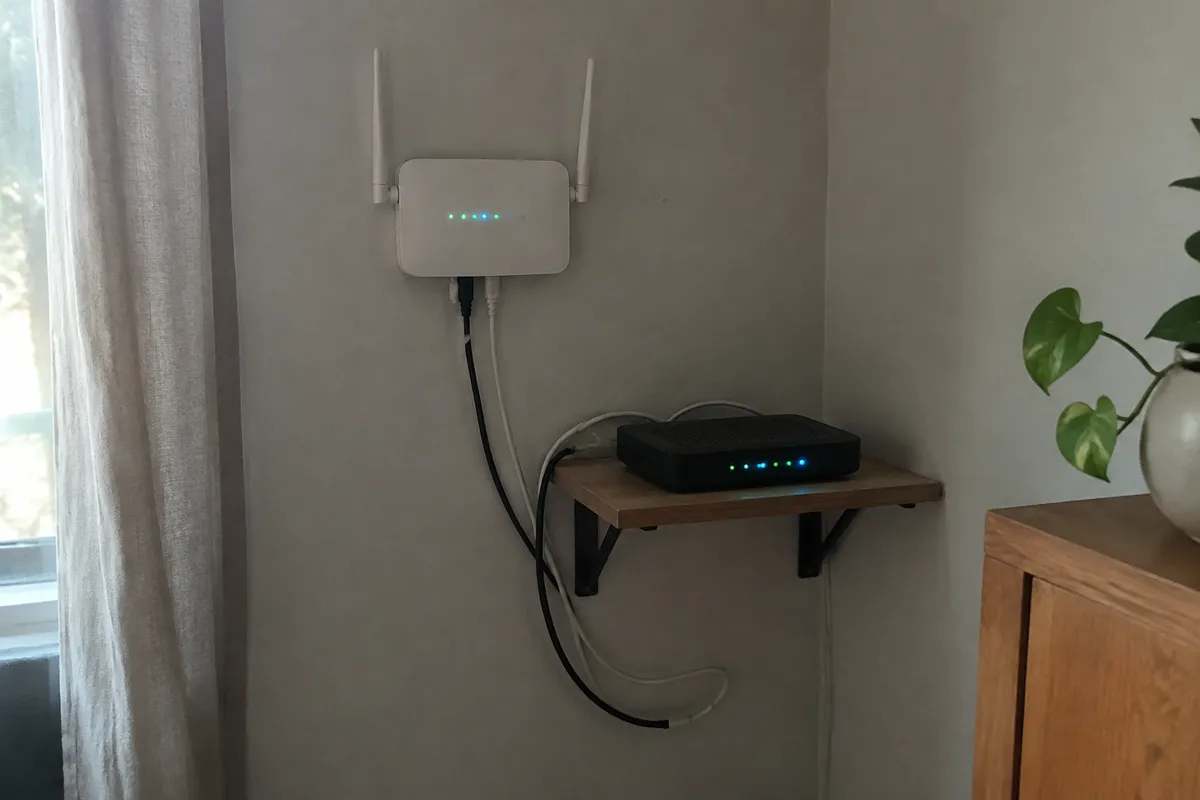
A hosting provider racks a server and installs a control panel platform. It then creates dozens or hundreds of accounts on top of it. Each account gets disk quotas, a database allowance, and email mailboxes. These are provisioned through the control panel rather than direct server access. Requests to any hosted domain hit the same web server software. That’s commonly Apache, Nginx, or LiteSpeed, running on that one machine, often built on a Linux base. That software then routes the request to the right account’s files. There’s no dedicated process reserved per customer. Instead, the server’s resource scheduler decides, moment to moment, how much CPU and memory each account gets.

Shared Hosting Resources: Control Panel, Bandwidth, and Storage
This section covers what you actually get with a shared hosting account, and where the limits sit.
Control Panel
Every shared hosting account is managed through a control panel, most commonly cPanel or Plesk. The control panel is where you create email accounts, manage databases like MySQL, install software, and check disk usage. It’s the customer’s entire interface to the server. There’s no direct server access behind it on standard shared plans.
Bandwidth and Storage
Shared hosting resources are pooled, not reserved. Bandwidth and storage are typically sold as a monthly allowance or an “unmetered” figure with fair-use limits behind it. Storage is usually SSD-based today rather than spinning disk, which speeds up file reads for every account on the machine. But bandwidth and storage both draw from the same server-wide pool other accounts use. A busy neighbor consuming heavy bandwidth can still affect your site’s response time, even if your own storage usage hasn’t changed.
Uptime
Uptime on shared hosting depends on the health of the whole physical machine, not just your account. Most providers publish a 99.9% uptime guarantee across their shared tier. That figure reflects the server as a whole. If the physical machine goes down, every account on it goes down together. There’s no way to isolate your uptime from the accounts sharing the box with you.
Shared Hosting Resources and the Noisy Neighbor Problem
This is the attribute that defines shared hosting’s ceiling. Isolation is minimal. Accounts share the same kernel, the same CPU cores, and the same memory pool. Most providers apply soft caps to stop one account from starving the rest. These include CPU seconds per account, process limits, and memory ceilings. But those caps are a mitigation, not a fix. A traffic spike, a runaway script, or even a security compromise on one neighboring account can degrade performance for everyone else on that machine. This is commonly called the “noisy neighbor” problem. It’s the single biggest trade-off you accept at this tier. See hosting resource limits for how CPU, RAM, and inode caps are actually enforced on shared plans.
Shared Hosting Price
Shared hosting sits at the bottom of the market. Plans typically run $2 to $15 a month for standard tiers, sometimes less on long-term introductory terms. That price is possible because the physical hardware cost is split across dozens or hundreds of tenants. The server, the data-center rack space, and the bandwidth are all shared costs. Shared hosting has the lowest cost-per-account of any hosting type. That’s exactly why it remains the default starting point.
Shared Hosting Performance
The performance ceiling on shared hosting is the lowest of any hosting type. It’s also variable rather than fixed. A shared account might load quickly at 3am when the server is quiet. It can run noticeably slower during a traffic spike on a neighboring site. There’s no guaranteed floor. For content that doesn’t need consistent, high-speed delivery, this is a fair trade for the price. A personal blog or a small local-business page fits that description well. For anything revenue-critical, the unpredictability itself is the problem, not just the average speed.
Who Shared Hosting Is For
Shared hosting is the right fit for new websites, personal blogs, portfolio pages, and low-traffic brochure sites. It works best where cost matters more than consistency. It’s also a sensible place to learn. Testing a CMS, prototyping a small business site, or hosting a site that gets a handful of visits a day are all good uses. If the goal is simply “get something online cheaply and reliably enough,” shared hosting does that job well.
Shared Hosting Limits
The core limitation is the lack of resource guarantees. There’s no way to reserve a fixed amount of CPU or RAM within the shared tier. You either accept the pooled allocation, or you move to a type that offers dedicated resources. Shared hosting limits also typically cap the number of websites, databases, and email accounts per plan. Support for unusual server configurations is limited or unavailable — custom PHP extensions and non-standard runtimes rarely work here. Security incidents on neighboring accounts remain a structural risk, even though they’re rare with a well-run provider. That risk doesn’t exist once you’re on isolated infrastructure.

Shared vs VPS: The Upgrade Path
When a shared account starts showing consistent slow-downs, hitting resource caps, or needs software the control panel doesn’t support, the next step up is VPS hosting. VPS keeps costs relatively low while adding guaranteed resources through virtualization. See shared vs VPS hosting for the direct comparison and the signals that indicate it’s time to move. For a full map of what sits above shared hosting, see types of web hosting and the broader hosting features that separate the tiers.
FAQ
Is shared hosting good enough for a small business website? For a low-traffic brochure site or local-business page, yes. For a site handling bookings, payments, or steady daily traffic, the resource unpredictability becomes a real risk. See best hosting for beginners for a fuller decision framework.
Can multiple websites run on one shared hosting account? Most shared plans allow multiple domains or subdomains under one account, up to a limit set by the plan tier. All of them draw from the same shared resource pool. Adding more sites to one account increases the chance of hitting a resource cap.
Does shared hosting come with a security risk from other accounts? Providers isolate accounts at the file and permissions level, but the underlying hardware and OS kernel are shared. A serious compromise on a neighboring account is uncommon with a competent host. Still, it isn’t structurally impossible the way it is on a fully isolated server.
How do I know when I’ve outgrown shared hosting? Recurring slow page loads unrelated to your own traffic are one clear signal. Resource-limit warnings from your host are another. A need for root-level software control is a third. See the full breakdown in shared vs VPS hosting.
For definitions of the terms used throughout this page — inodes, resource pooling, control panels — see the web hosting glossary.
Recommended hosts
Compare the top web hosts
The same shortlist, condensed — now that you know what to look for, here is where to look.
How this is ranked.Ranked by independently verified Trustpilot ratings, checked as of Oct 2026. We don't sell hosting and take no placement fees.
Disclosure. Some links below may be affiliate links — if you sign up through them we may earn a commission at no extra cost to you. It never affects the order. Intro prices are promotional; check the renewal price at checkout.
1.SiteGround
Trustpilot · 30,894 reviews · as of 2026-10-01
From $2.99/mo · renews steeply (~$17.99/mo)
2.Scala Hosting
Trustpilot · 2,209 reviews · as of 2026-10-01
From $2.95/mo · renews higher (~$9.95/mo shared)
3.A2 Hosting (now Hosting.com)
Trustpilot · 7,180 reviews · as of 2026-10-01
From $3.99/mo · renews higher (~$10.99/mo)
4.TMDHosting
Trustpilot · 1,749 reviews · as of 2026-10-01
From $2.99/mo · renews sharply higher; best value needs a 36-month commitment
5.FastComet
Trustpilot · 3,967 reviews · as of 2026-10-01
From $1.79/mo · renews sharply higher (~$8.95/mo Starter); lock a 3-year term to defer
6.Hostinger
Trustpilot · 72,700 reviews · as of 2026-10-01
From $1.99/mo · renews substantially higher (~$10.99/mo shared)
Recommended hosts
Ready to choose a web host?
Pick one of these top-rated hosts and get started today, or read its full review first.
How this is ranked.Ranked by independently verified Trustpilot ratings, checked as of Oct 2026. We don't sell hosting and take no placement fees.
Disclosure. Some links below may be affiliate links — if you sign up through them we may earn a commission at no extra cost to you. It never affects the order. Intro prices are promotional; check the renewal price at checkout.
SiteGround
From $2.99/mo
renews steeply (~$17.99/mo)
Trustpilot · 30,894 reviews · as of 2026-10-01
SiteGround is a performance-first host with the highest verified rating in our set (4.9/5 from 30,210 Trustpilot reviews). It suits growing WordPress and WooCommerce owners who value speed, top-rated support and reliable uptime over the lowest price. The catch is cost — intro pricing is competitive, but the renewal is one of the harshest jumps (around $17.99/mo), and entry plans have low storage caps.
Hosting types
Key services
- Runs on Google Cloud infrastructure
- In-house SG Optimizer caching and Ultrafast PHP
- Daily backups included
- Staging environments on higher tiers
Scala Hosting
From $2.95/mo
renews higher (~$9.95/mo shared)
Trustpilot · 2,209 reviews · as of 2026-10-01
Scala Hosting is a value-focused host for users wanting managed cloud VPS on a budget or wanting to avoid cPanel licensing costs, with a top-tier 4.9/5 across 2,199 Trustpilot reviews. Its standouts are an exceptional support reputation, managed VPS value via its in-house SPanel, and SShield real-time AI security monitoring. The trade-offs are shared intro rates that jump significantly at renewal (to about $9.95/mo) and an SPanel that's less familiar than cPanel.
Hosting types
Key services
- SPanel — in-house all-in-one cPanel alternative (no per-account license cost)
- SShield real-time AI security monitoring
- Managed cloud VPS at near-shared prices
- Choice of AWS/DigitalOcean or own data centres
A2 Hosting (now Hosting.com)
From $3.99/mo
renews higher (~$10.99/mo)
Trustpilot · 7,180 reviews · as of 2026-10-01
A2 Hosting (now Hosting.com) is a speed-focused, developer-friendly host with a strong 4.8/5 across 6,833 Trustpilot reviews. Its standouts are a genuine performance edge on LiteSpeed/NVMe "Turbo" plans and an anytime money-back guarantee. The trade-offs are that the headline speed needs the pricier Turbo tier, renewal multiples are steep, and the A2-to-Hosting.com rebrand may cause some confusion.
Hosting types
Key services
- "Turbo" LiteSpeed and NVMe speed-focused plans
- Anytime money-back guarantee
- Free site migration
- Choice of global data centres
TMDHosting
From $2.99/mo
renews sharply higher; best value needs a 36-month commitment
Trustpilot · 1,749 reviews · as of 2026-10-01
TMDHosting is a friendly budget-to-mid host for small businesses and WordPress/WooCommerce owners wanting well-supported, affordable shared/cloud hosting, rating 4.8/5 across 1,684 Trustpilot reviews. Its strengths are responsive support, a low-risk 60-day money-back window and a full feature set with global data centres. The trade-offs are low intro rates that rise sharply at renewal (best value needs a 36-month term) and middling third-party performance scores (~78%).
Hosting types
Key services
- Strong, fast support reputation
- Generous 60-day money-back guarantee on shared/cloud
- Free migration, daily backups, free SSL and cPanel
- Multiple worldwide data-center locations
FastComet
From $1.79/mo
renews sharply higher (~$8.95/mo Starter); lock a 3-year term to defer
Trustpilot · 3,967 reviews · as of 2026-10-01
FastComet is a beginner-friendly host for small businesses wanting a feature-rich, well-supported shared/cloud host with global data centres, rating 4.7/5 across a solid 3,790-review Trustpilot base. Its strengths are a long-standing support reputation and generous freebies — daily backups, SSL and Cloudflare CDN — bundled into cheap plans. The trade-offs are a steep intro-to-renewal jump (to about $8.95/mo Starter) and some user caution after the WorldHostGroup ownership change.
Hosting types
Key services
- Free daily backups, free SSL and free Cloudflare CDN on all plans
- Free website migration
- Imunify360 security and proactive support
- 45-day money-back guarantee
Hostinger
From $1.99/mo
renews substantially higher (~$10.99/mo shared)
Trustpilot · 72,700 reviews · as of 2026-10-01
Hostinger suits beginners, personal sites and small businesses chasing the lowest cost of entry, and it holds the largest review base in our set (4.7/5 from 71,365 Trustpilot reviews). Its standout is value — among the cheapest credible intro prices, with LiteSpeed and NVMe performance for the money. The trade-off is a big jump from intro to renewal (around $10.99/mo shared), and the lowest rates need a long up-front prepayment.
Hosting types
Key services
- hPanel custom control panel aimed at beginners
- Free SSL and email on most plans
- LiteSpeed web server and NVMe storage on many plans
- Bundled AI website and site-building tools
Illustrative pricing tiers
Vendor-neutral examples of how plans are usually tiered and priced — to help you judge what to look for. These are typical ranges, not offers. We don't sell hosting.
Starter
One small site
$2–4 / motypical
- 1 website
- ~10 GB SSD
- Shared resources
- Free SSL
Plus
Typical pickA few sites
$4–8 / motypical
- Multiple websites
- ~50 GB SSD
- Free email
- Free SSL
Pro
Small business
$8–15 / motypical
- Unlimited sites
- More CPU/RAM allowance
- Staging
- Daily backups